
Reviews
Your graphics add a nice touch to my presentations and I recently used them for one of my all-hands meetings. Your toolbox adds professionalism to my slides. Instead of using standard clipart.
I needed a fresh look at some of my slides. I've tried to find a way to create a paintbrush effect, to underline, accentuate, add some color and the handwritten markers were just the things. Very easy to use, easy to size, change the color. It was an affordable, perfect solution and I'm happy to recommend it.
The crisp, clean look of the graphics, and the fact that it allowed me to easily edit and change the colors to match the template was my main reason for purchasing them.
Description
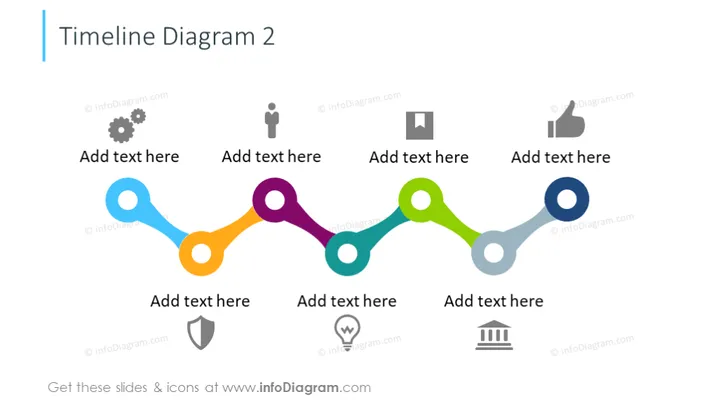
Timeline Diagram 2
Slide Content
The slide presents a colorful horizontal timeline diagram with labeled icons representing different stages or events. There are six circular nodes connected by a path, each node paired with a unique icon and a placeholder text "Add text here," indicating that detailed descriptions for each stage can be inserted by the presenter. The icons are a cogwheel, a user silhouette, a video camera, a thumbs-up, a downward arrow, and stacked bars, symbolizing process, user, media, approval, direction, and quantitative information respectively.
Graphical Look
- The timeline is composed of circles connected by lines that form a path with gentle curves, each of a different color.
- At each node, there is a pictogram icon representing different concepts:
- A gear symbolizing settings or process.
- A person silhouette indicating user or human element.
- A video camera for multimedia or recording.
- A thumbs-up for approval, achievement, or positive feedback.
- A downward-pointing arrow suggesting download, direction, or guidance.
- Three stacked horizontal bars representing data or statistics.
- Each icon is gray and placed against a circular background matching the color of its corresponding node.
- The background of the slide is plain white, ensuring that the colorful timeline stands out.
- The text placeholders "Add text here" are in a contrasting dark gray color, drawing attention to the points for narrative addition.
The slide has a clean, modern look with a visually engaging color scheme. Its simple yet effective design conveys information in an organized, easy-to-follow manner.
Use Cases
- To showcase project timelines and key milestones during a business presentation.
- To illustrate the progression of steps in a process or workflow in a training or educational setting.
- For presenting the chronological development of a product or campaign during marketing or sales meetings.
- As a visual aid during progress reports or updates in team meetings or stakeholder briefings.
How to Edit
How to edit text & colors

How to expand / shorten diagram

How to Replace Icons in infoDiagram PPT


