
Reviews
Ihre Grafiken verleihen meinen Präsentationen eine nette Note, und ich habe sie kürzlich für eines meiner All-Hands-Meetings verwendet. Ihre Toolbox verleiht meinen Folien Professionalität, anstatt Standard-Clipart zu verwenden.
Ich brauchte einen neuen Blick auf einige meiner Folien. Ich habe versucht, einen Weg zu finden, einen Pinselschlag-Effekt zu erzielen, um zu unterstreichen, hervorzuheben, Farbe hinzuzufügen, und die handgeschriebenen Markierungen waren genau das Richtige. Sehr einfach zu bedienen, leicht in der Größe zu ändern, die Farbe zu ändern. Es war eine erschwingliche, perfekte Lösung und ich empfehle sie gerne weiter.
Die klare, saubere Optik der Grafiken und die Tatsache, dass ich die Farben leicht bearbeiten und an die Vorlage anpassen konnte, war mein Hauptgrund für den Kauf.
Description
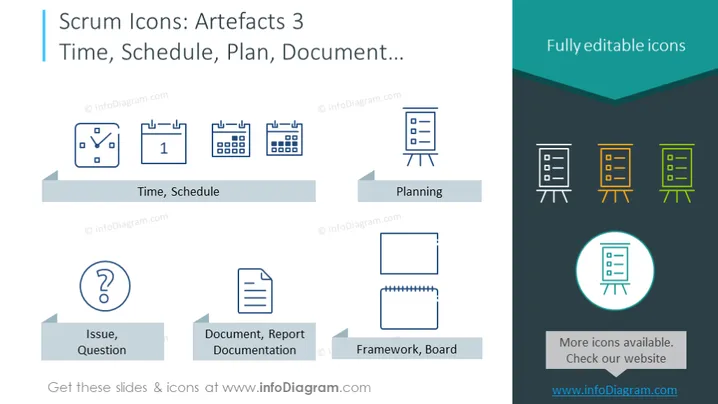
Scrum Icons: Artefacts 3 Time, Schedule, Plan, Document
Slide Content:
The slide is part of a Scrum series focused on artifacts related to time management, planning, and documentation. It presents icons for 'Time, Schedule', which may include tools like calendars and clocks to track timelines. 'Planning' is represented by a board with sticky notes, suggesting the organization of tasks and sprints. 'Issue, Question' signifies challenges or inquiries that may arise, while 'Document, Report Documentation' and 'Framework, Board' icons suggest the importance of keeping records and establishing structured approaches within Scrum projects.
Graphical Look:
- Each icon is depicted in a uniform blue outline style for consistency.
- Below each icon is a grey banner label with the corresponding artifact's name.
- A circular icon at the bottom right complements the banner, providing a visual cue for additional resources.
- The icons include a variety of shapes, such as clocks, documents, boards, and question marks.
The overall design of the slide is straightforward and professional, with a clear emphasis on iconography to convey the various Scrum artifacts. The color scheme is limited but effective, using blue, grey, and teal to create a cohesive visual experience.
Use Cases:
- In a Scrum methodology training to illustrate different artifacts used in agile project management.
- During team meetings to discuss time management, planning strategies, and documentation standards.
- As part of an onboarding process for new team members to familiarize them with Scrum tools.
- In educational materials for students or professionals learning about Scrum practices.
How to Edit
How to edit text & colors

How to expand / shorten diagram

How to Replace Icons in infoDiagram PPT


