
Reviews
Sus gráficos añaden un toque agradable a mis presentaciones y recientemente los usé para una de mis reuniones generales. Su conjunto de herramientas añade profesionalismo a mis diapositivas. En lugar de usar imágenes prediseñadas estándar.
Necesitaba un aspecto fresco para algunas de mis diapositivas. Había intentado encontrar una forma de crear un efecto de pincel, de subrayar, acentuar, añadir algo de color y los marcadores escritos a mano fueron justo lo que necesitaba. Muy fácil de usar, fácil de ajustar el tamaño, cambiar el color. Fue una solución asequible y perfecta, y estoy feliz de recomendarla.
El aspecto nítido y limpio de los gráficos, y el hecho de que me permitiera editar y cambiar fácilmente los colores para que coincidieran con la plantilla fue mi principal razón para comprarlos.
Description
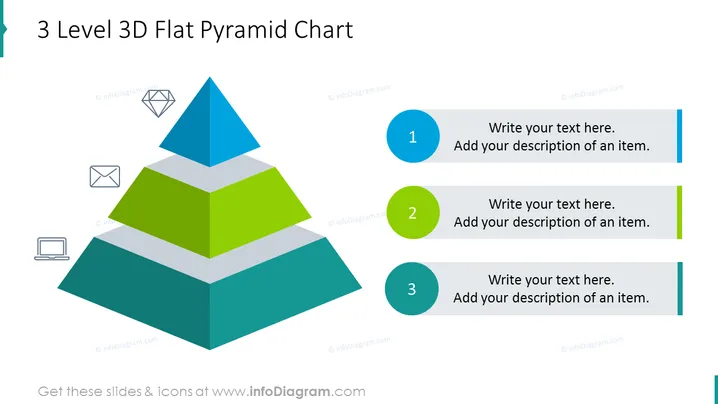
3 Level 3D Flat Pyramid Chart
Slide Content
The slide presents a 3 Level 3D Flat Pyramid Chart, which aims to demonstrate a hierarchy or proportional relationships within a concept. The top element is blue, suggesting it might be the pinnacle or most important aspect, followed by a green mid-section, and a larger bottom tier in dark teal. Accompanying each level are placeholders to write descriptions about each corresponding element, emphasizing their role or significance in the overall structure. The numerical ordering suggests a sequence or priority from one to three.
Graphical Look
- A large, three-tiered pyramid dominates the left side of the slide, with a 3D effect to provide depth.
- Each pyramid level is depicted in a different color: the top is blue, the middle is green, and the bottom is dark teal.
- To the right of the pyramid, there are three corresponding circular number icons, each matching the color of its respective pyramid tier (blue for 1, green for 2, dark teal for 3).
- Next to each of the number icons are text boxes with a placeholder text "Write your text here." and a subtext "Add your description of an item."
- On the bottom-left side, under the pyramid, are two smaller icons: an envelope and a laptop, seemingly indicating communication or data processing.
The slide has a sleek and modern look, with a clean design that uses flat graphics and a limited color palette. The use of shadows and contrasting colors highlights the pyramid structure, making it the focal point of the slide.
Use Cases
- Demonstrating organizational hierarchies, with each pyramid level representing a different tier of management or responsibility.
- Visualizing data that shows proportional relationships, like market segments or customer demographics.
- Explaining stepwise processes or stages in product development, where each layer reflects a subsequent phase.
- Presenting levels of achievement or contribution in a gamified rewards system or sales targets.
How to Edit
How to edit text & colors

How to expand / shorten diagram

How to Replace Icons in infoDiagram PPT


