
Reviews
Sus gráficos añaden un toque agradable a mis presentaciones y recientemente los usé para una de mis reuniones generales. Su conjunto de herramientas añade profesionalismo a mis diapositivas. En lugar de usar imágenes prediseñadas estándar.
Necesitaba un aspecto fresco para algunas de mis diapositivas. Había intentado encontrar una forma de crear un efecto de pincel, de subrayar, acentuar, añadir algo de color y los marcadores escritos a mano fueron justo lo que necesitaba. Muy fácil de usar, fácil de ajustar el tamaño, cambiar el color. Fue una solución asequible y perfecta, y estoy feliz de recomendarla.
El aspecto nítido y limpio de los gráficos, y el hecho de que me permitiera editar y cambiar fácilmente los colores para que coincidieran con la plantilla fue mi principal razón para comprarlos.
Description
3 Chapters Agenda Slide Template
Slide Content
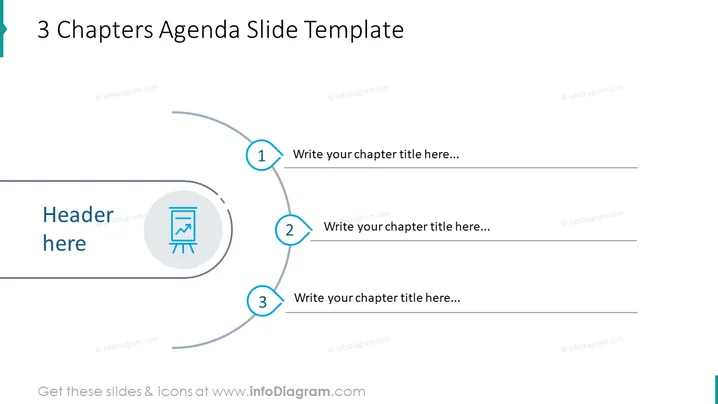
The slide titled "3 Chapters Agenda Slide Template" is structured to present an agenda or outline segmented into three parts. Each part offers a space to input a chapter title, along with corresponding numbers (1, 2, and 3) to clearly denote the order and a thematic icon for visual reinforcement.
Graphical Look
- The slide background is plain white, which provides a clean and uncluttered canvas for the content.
- At the top, the slide title is set in bold, dark text, ensuring it is prominent and easily readable.
- There's a curved, gray line that traverses the slide from left to right, acting as a timeline or path connecting the three segments.
- Each chapter is represented by a circle with a blue border, containing a large white number (1 to 3) to indicate the sequence.
- Next to each numbered circle, there's a line leading to a text box for chapter titles, ready for customization.
- On the left, a larger circle overlaps the curved line and features an icon symbolizing a presentation, encapsulating the slide's agenda-setting purpose.
- The icons and numbers use a consistent blue color scheme, which contributes to the cohesive design of the slide.
The overall look is modern and professional, with a minimalistic design that emphasizes clarity and order. The visual elements are balanced and aligned to facilitate a smooth flow of information.
Use Cases
- Introducing the main topics of a business meeting, conference, or workshop in a visually organized manner.
- Outlining the structure of a multi-part training session or educational module to give participants an overview of what to expect.
- Segmenting a project or strategy presentation into distinct phases or categories for clarity.
- Using as a table of contents at the beginning of a company report or proposal to guide readers through the document sections.
How to Edit
How to edit text & colors

How to expand / shorten diagram

How to Replace Icons in infoDiagram PPT


