
Reviews
Ihre Grafiken verleihen meinen Präsentationen eine nette Note, und ich habe sie kürzlich für eines meiner All-Hands-Meetings verwendet. Ihre Toolbox verleiht meinen Folien Professionalität, anstatt Standard-Clipart zu verwenden.
Ich brauchte einen neuen Blick auf einige meiner Folien. Ich habe versucht, einen Weg zu finden, einen Pinselschlag-Effekt zu erzielen, um zu unterstreichen, hervorzuheben, Farbe hinzuzufügen, und die handgeschriebenen Markierungen waren genau das Richtige. Sehr einfach zu bedienen, leicht in der Größe zu ändern, die Farbe zu ändern. Es war eine erschwingliche, perfekte Lösung und ich empfehle sie gerne weiter.
Die klare, saubere Optik der Grafiken und die Tatsache, dass ich die Farben leicht bearbeiten und an die Vorlage anpassen konnte, war mein Hauptgrund für den Kauf.
Description
Title 1
Slide Content
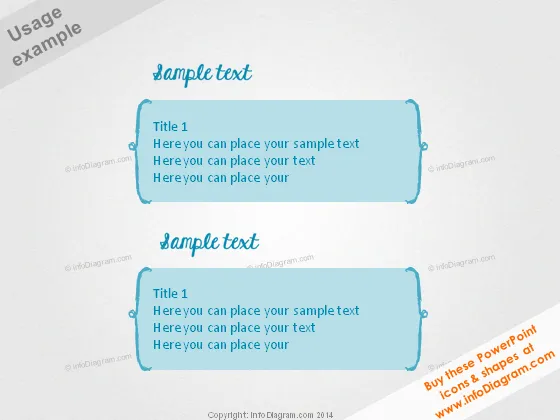
The slide appears to be a templated design for presenting concise information, each section introduced by "Title 1". The text beneath the title is a placeholder, suggesting that the actual content is meant to be customized. Phrases like "Here you can place your sample text" indicate where a presenter can insert their specific details or discussion points, which would ideally be brief to fit the design.
Graphical Look
- Two text boxes with decorative frames in a light turquoise color, both containing example text and a title.
- Each text box has a slightly irregular, modern edge, giving a casual and creative aesthetic.
- The text boxes cast a soft shadow on a light background, suggesting a raised, floating effect.
- The Slide title "Sample text" is presented in an italic, handwritten-style font.
- Titles in the text boxes "Title 1" are in a bold, sans-serif font, making them stand out.
- The placeholder text beneath the titles in the text boxes is in a smaller, lighter font, indicating hierarchy.
- The overall color scheme of the slide is monochromatic, with shades of blue and turquoise.
The slide has a clean, contemporary look with an informal feel due to the font choice and frame style of the text boxes. The emphasis is on simplicity and readability, with a color scheme that's easy on the eyes.
Use Cases
- Introducing topics or agenda items in a meeting or workshop to keep the audience engaged.
- Displaying key points or takeaways in a presentation, ensuring they are concise and memorable.
- Serving as section headers in a larger presentation to break content into digestible pieces.
- Providing a visual aid during instructional sessions, where brief notes or discussion points are necessary.
How to Edit
How to edit text & colors

How to expand / shorten diagram

How to Replace Icons in infoDiagram PPT


