
Reviews
Your graphics add a nice touch to my presentations and I recently used them for one of my all-hands meetings. Your toolbox adds professionalism to my slides. Instead of using standard clipart.
I needed a fresh look at some of my slides. I've tried to find a way to create a paintbrush effect, to underline, accentuate, add some color and the handwritten markers were just the things. Very easy to use, easy to size, change the color. It was an affordable, perfect solution and I'm happy to recommend it.
The crisp, clean look of the graphics, and the fact that it allowed me to easily edit and change the colors to match the template was my main reason for purchasing them.
Description
Slide Content
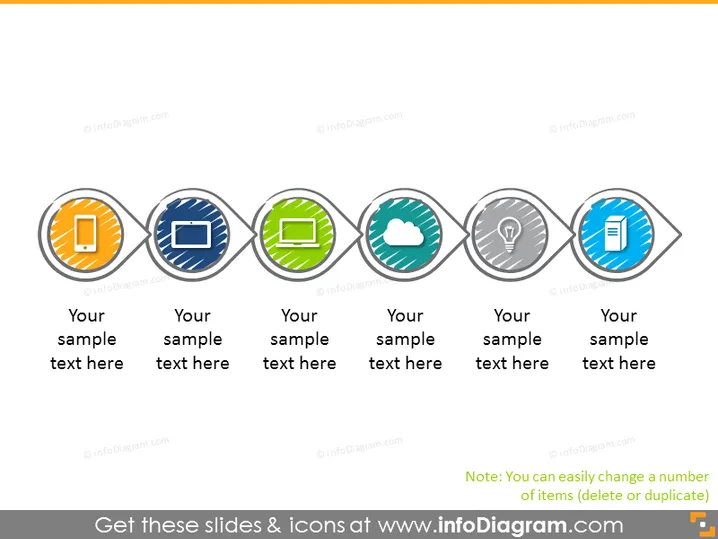
The slide seems to be a template for presenting eight different concepts or categories. Each concept is symbolized by a unique icon in a circular shape with different colors and connected by a line, suggesting a sequence or relationship between the items. The text placeholders below each icon indicate where a description or title for each concept can be added, making it a versatile slide for various presentations.
Graphical Look
- Eight circular icons connected by a two-tone line snake across the slide.
- Each icon features a distinct color and graphic symbol representing various concepts.
- There are placeholders for text below each icon where explanatory text can be added.
- The overall color palette includes orange, blue, green, teal, gray, and light blue.
- Each circular icon is within a larger circle, slightly resembling a node on a network.
- The connecting line has circular bulges around the icons, which adds to the visual flow.
The slide has a clean, modern design with a consistent and professional look. The use of colors and symbols makes it visually engaging and helps to distinguish between different topics or steps.
Use Cases
- Presenting steps in a business process or workflow.
- Illustrating different phases of a project with associated tasks or milestones.
- Summarizing multiple service offerings or product features in a marketing presentation.
- Providing an overview of an organization’s departments or functional units during an orientation or training session.
How to Edit
How to edit text & colors

How to expand / shorten diagram

How to Replace Icons in infoDiagram PPT


