
Reviews
Ihre Grafiken verleihen meinen Präsentationen eine nette Note, und ich habe sie kürzlich für eines meiner All-Hands-Meetings verwendet. Ihre Toolbox verleiht meinen Folien Professionalität, anstatt Standard-Clipart zu verwenden.
Ich brauchte einen neuen Blick auf einige meiner Folien. Ich habe versucht, einen Weg zu finden, einen Pinselschlag-Effekt zu erzielen, um zu unterstreichen, hervorzuheben, Farbe hinzuzufügen, und die handgeschriebenen Markierungen waren genau das Richtige. Sehr einfach zu bedienen, leicht in der Größe zu ändern, die Farbe zu ändern. Es war eine erschwingliche, perfekte Lösung und ich empfehle sie gerne weiter.
Die klare, saubere Optik der Grafiken und die Tatsache, dass ich die Farben leicht bearbeiten und an die Vorlage anpassen konnte, war mein Hauptgrund für den Kauf.
Description
Sample title
Slide Content
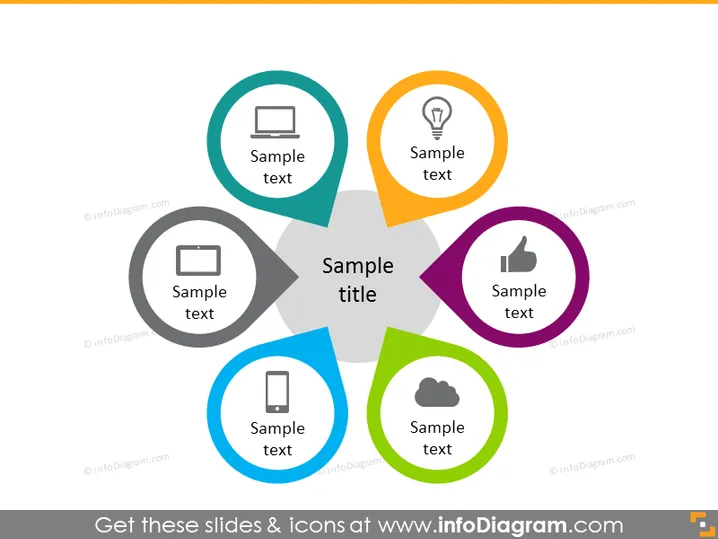
This PowerPoint slide is designed to present five different concepts or categories. Each concept is denoted by a colorful circular shape with an icon and accompanying "Sample text" suggesting the placeholder for a description. These circles are interconnected, with the central one containing the "Sample title," implying a central theme or idea that connects the other elements. These elements might represent business services, project components, team roles, or any set of interconnected ideas or concepts.
Graphical Look
- A central, large grey circle contains the main title "Sample title" in bold, black font.
- Surrounding this central circle are five smaller circles of various colors: teal, orange, purple, blue, and green.
- Each of the colored circles contains a white icon representative of different concepts: a monitor, a light bulb, a thumb up, a mobile phone, and a cloud.
- Each colored circle also contains the phrase "Sample text" in a white font, suggesting a placeholder for further details.
- The circles are arranged in a circular pattern around the central title, overlapping slightly with each other and the central circle to suggest interconnectedness.
- The slide background is white, which contrasts with the colorful circles and icons, drawing focus to the content.
The slide is colorful and uses a variety of vibrant hues to differentiate between the different elements. The use of universal icons and bold colors creates an engaging visual hierarchy that captures attention and facilitates understanding at a glance.
Use Cases
- To showcase a business model with its core principle at the center and supporting components or services surrounding it.
- When presenting the structure of a project, with each colored circle representing different project stages or teams linked to the central goal.
- For illustrating a company's value proposition, with the central circle encapsulating the main value and surrounding circles detailing individual benefits or features.
- In strategy meetings, to explain how different departments or initiatives interrelate and contribute to the overarching company strategy.
How to Edit
How to edit text & colors

How to expand / shorten diagram

How to Replace Icons in infoDiagram PPT


