
Reviews
Your graphics add a nice touch to my presentations and I recently used them for one of my all-hands meetings. Your toolbox adds professionalism to my slides. Instead of using standard clipart.
I needed a fresh look at some of my slides. I've tried to find a way to create a paintbrush effect, to underline, accentuate, add some color and the handwritten markers were just the things. Very easy to use, easy to size, change the color. It was an affordable, perfect solution and I'm happy to recommend it.
The crisp, clean look of the graphics, and the fact that it allowed me to easily edit and change the colors to match the template was my main reason for purchasing them.
Description
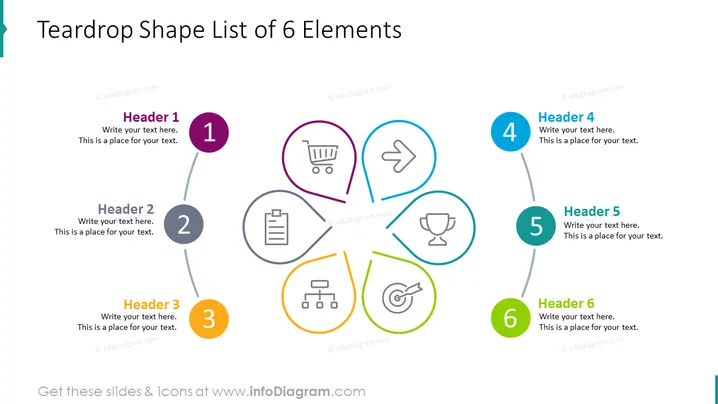
Teardrop Shape List of 6 Elements
Slide Content
This PowerPoint slide titled "Teardrop Shape List of 6 Elements" outlines six concepts, each associated with a teardrop-shaped bullet point. The items are numbered 1 to 6, with a short header and placeholder text for additional details. The topics suggested by icons include commerce represented by a shopping cart, direction or movement indicated by an arrow, documentation shown by a clipboard, achievement symbolized by a trophy, hierarchy or organization depicted by a structure diagram, and target or goal illustrated by a bullseye.
Graphical Look
- Six teardrop-shaped graphics are arranged in a circular formation, each connected to a centered circular area with grey lines.
- Each teardrop shape contains an icon and is uniquely colored: purple, grey, orange, light blue, teal, and green.
- To the right of each teardrop shape, there is a corresponding numbered circle matching the color of the teardrop shape, with a header and a text space.
- The icons inside the teardrops represent a shopping cart, an arrow, a clipboard, a trophy, an organizational chart, and a dartboard with an arrow.
- The background of the slide is plain white.
- The overall use of color is reserved, with only the teardrop shapes, numbered circles, and the icons within them having distinctive colors.
The slide has a clean and professional appearance with a pop of color used smartly to differentiate elements. The use of icons within the teardrop shapes offers a visual representation of abstract concepts, which aids in communicating the slide's key points effectively.
Use Cases
- Presenting key business strategies or components during company meetings or stakeholder presentations.
- Illustrating steps in a process or different aspects of a project in a project management briefing.
- Summarizing multiple services or product features in a sales or marketing presentation.
- Outlining organizational values or principles in an internal company training or orientation session.
How to Edit
How to edit text & colors

How to expand / shorten diagram

How to Replace Icons in infoDiagram PPT


