
Reviews
Your graphics add a nice touch to my presentations and I recently used them for one of my all-hands meetings. Your toolbox adds professionalism to my slides. Instead of using standard clipart.
I needed a fresh look at some of my slides. I've tried to find a way to create a paintbrush effect, to underline, accentuate, add some color and the handwritten markers were just the things. Very easy to use, easy to size, change the color. It was an affordable, perfect solution and I'm happy to recommend it.
The crisp, clean look of the graphics, and the fact that it allowed me to easily edit and change the colors to match the template was my main reason for purchasing them.
Description
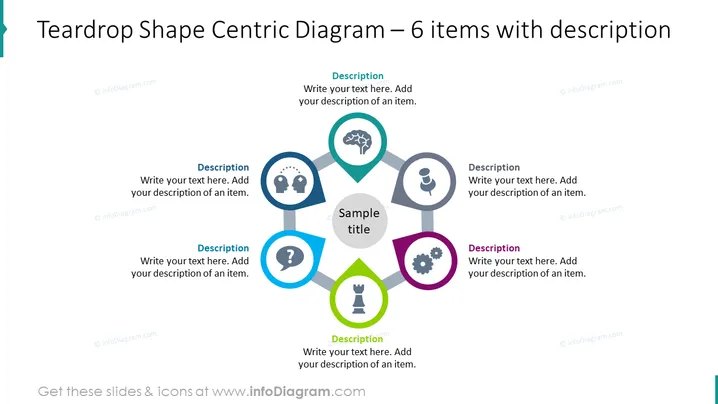
Teardrop Shape Centric Diagram – 6 items with description
Slide Content
The slide presents a central diagram consisting of six teardrop-shaped elements, each with an icon and space for a description surrounding a larger central hexagon with a sample title. This layout suggests a model where six distinct but interconnected components contribute to a central concept. The teardrop shapes are paired with icons representing different themes such as a lightbulb for ideas, a person for human resources, gears for processes, a question mark for queries, a tree for growth, and a trophy for success, indicating a range of aspects that might contribute to the central theme.
Graphical Look
- A central hexagon labeled "Sample title" is the focal point.
- Six teardrop shapes arranged in a circular pattern around the central hexagon.
- Each teardrop shape contains a distinct icon: lightbulb, two figures with gears, question mark, brain with cogwheel, person, and trophy.
- Every teardrop is connected to the central hexagon by a thin line.
- Each teardrop also includes a text box labeled "Description" for additional detail.
- The teardrop shapes are colored in pairs with matching hues: blue, gray, and violet.
- The slide background is white which maintains focus on the colorful diagram.
The slide is clean, professional, with a balanced use of color and space. The central hexagon and colorful teardrops create a visually appealing hub-and-spoke design that draws attention to the central concept and its related components.
Use Cases
- To present a business model or strategy where various components are essential to the central idea.
- In a marketing plan to outline different aspects such as target audience, channels, content strategy, and goals.
- For project management, to display key areas like scope, resources, milestones, risks, and deliverables.
- During an employee training or workshop to illustrate interconnected competencies, departmental roles , or teamwork dynamics.
How to Edit
How to edit text & colors

How to expand / shorten diagram

How to Replace Icons in infoDiagram PPT


