
Reviews
Sus gráficos añaden un toque agradable a mis presentaciones y recientemente los usé para una de mis reuniones generales. Su conjunto de herramientas añade profesionalismo a mis diapositivas. En lugar de usar imágenes prediseñadas estándar.
Necesitaba un aspecto fresco para algunas de mis diapositivas. Había intentado encontrar una forma de crear un efecto de pincel, de subrayar, acentuar, añadir algo de color y los marcadores escritos a mano fueron justo lo que necesitaba. Muy fácil de usar, fácil de ajustar el tamaño, cambiar el color. Fue una solución asequible y perfecta, y estoy feliz de recomendarla.
El aspecto nítido y limpio de los gráficos, y el hecho de que me permitiera editar y cambiar fácilmente los colores para que coincidieran con la plantilla fue mi principal razón para comprarlos.
Description
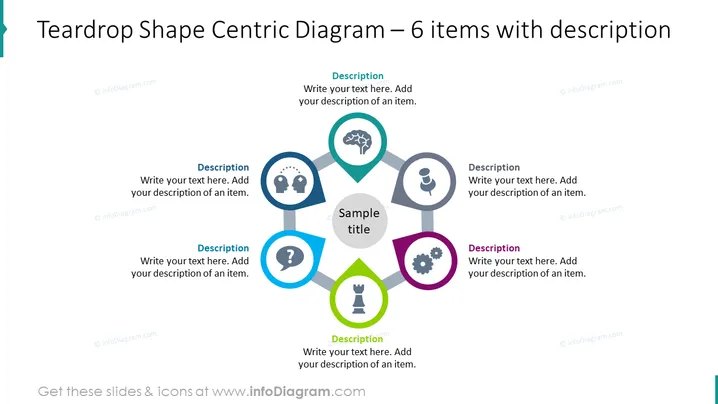
Teardrop Shape Centric Diagram – 6 items with description
Slide Content
The slide presents a central diagram consisting of six teardrop-shaped elements, each with an icon and space for a description surrounding a larger central hexagon with a sample title. This layout suggests a model where six distinct but interconnected components contribute to a central concept. The teardrop shapes are paired with icons representing different themes such as a lightbulb for ideas, a person for human resources, gears for processes, a question mark for queries, a tree for growth, and a trophy for success, indicating a range of aspects that might contribute to the central theme.
Graphical Look
- A central hexagon labeled "Sample title" is the focal point.
- Six teardrop shapes arranged in a circular pattern around the central hexagon.
- Each teardrop shape contains a distinct icon: lightbulb, two figures with gears, question mark, brain with cogwheel, person, and trophy.
- Every teardrop is connected to the central hexagon by a thin line.
- Each teardrop also includes a text box labeled "Description" for additional detail.
- The teardrop shapes are colored in pairs with matching hues: blue, gray, and violet.
- The slide background is white which maintains focus on the colorful diagram.
The slide is clean, professional, with a balanced use of color and space. The central hexagon and colorful teardrops create a visually appealing hub-and-spoke design that draws attention to the central concept and its related components.
Use Cases
- To present a business model or strategy where various components are essential to the central idea.
- In a marketing plan to outline different aspects such as target audience, channels, content strategy, and goals.
- For project management, to display key areas like scope, resources, milestones, risks, and deliverables.
- During an employee training or workshop to illustrate interconnected competencies, departmental roles , or teamwork dynamics.
How to Edit
How to edit text & colors

How to expand / shorten diagram

How to Replace Icons in infoDiagram PPT


