
Reviews
Ihre Grafiken verleihen meinen Präsentationen eine nette Note, und ich habe sie kürzlich für eines meiner All-Hands-Meetings verwendet. Ihre Toolbox verleiht meinen Folien Professionalität, anstatt Standard-Clipart zu verwenden.
Ich brauchte einen neuen Blick auf einige meiner Folien. Ich habe versucht, einen Weg zu finden, einen Pinselschlag-Effekt zu erzielen, um zu unterstreichen, hervorzuheben, Farbe hinzuzufügen, und die handgeschriebenen Markierungen waren genau das Richtige. Sehr einfach zu bedienen, leicht in der Größe zu ändern, die Farbe zu ändern. Es war eine erschwingliche, perfekte Lösung und ich empfehle sie gerne weiter.
Die klare, saubere Optik der Grafiken und die Tatsache, dass ich die Farben leicht bearbeiten und an die Vorlage anpassen konnte, war mein Hauptgrund für den Kauf.
Description
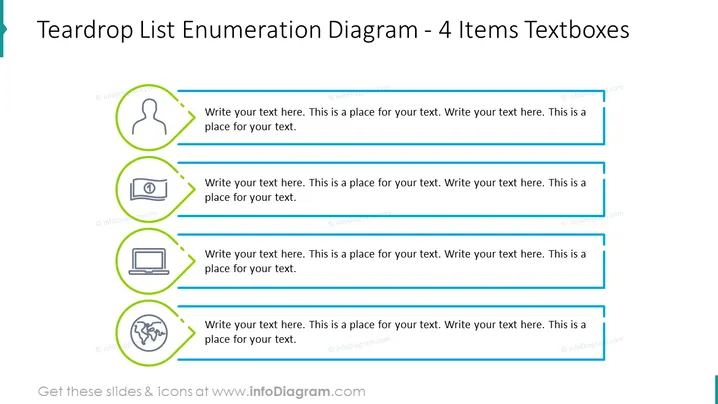
Teardrop List Enumeration Diagram - 4 Items Textboxes
Slide Content
The slide presents a "Teardrop List Enumeration Diagram" consisting of 4 items with associated textboxes. Each item seems designed to structure information in a clear, hierarchical manner:
- An icon of a person's silhouette is accompanied by a large textbox for an in-depth description, possibly representing a user profile or human aspect.
- A money bill icon suggests a financial element, inviting an explanation or financial data input in the adjacent textbox.
- A laptop icon is indicative of technology or digital topics to be expounded upon in the provided writing space.
- Lastly, a globe with network connections is depicted, implying global or internet-related content that can be detailed in the final textbox.
Graphical Look
- The slide has a clean white background with a teardrop-shaped design element in teal on the upper left corner.
- Four horizontal, lined-up elements, each with a unique icon encircled in a green teardrop-shaped ring, followed by a horizontal blue line.
- Each icon indicates a different concept; a person, money bill, laptop, and networked globe.
- Beside each icon and blue line, there's a large light grey textbox with placeholder text for custom content.
The slide has a modern, professional design with a clear color-coded system that visually separates each concept.
Use Cases
- To outline team member roles or responsibilities in a company or project presentation.
- To enumerate key financial metrics or budget items in a business meeting.
- To showcase different aspects of a digital strategy, including technology deployment or software uses.
- To describe global operations, international reach, or network infrastructure in a corporate strategy session.
How to Edit
How to edit text & colors

How to expand / shorten diagram

How to Replace Icons in infoDiagram PPT


