
Your graphics add a nice touch to my presentations and I recently used them for one of my all-hands meetings. Your toolbox adds professionalism to my slides. Instead of using standard clipart.
Claude Jones, Director of Engineer, @Walmartlabs, USA
Your graphics add a nice touch to my presentations and I recently used them for one of my all-hands meetings. Your toolbox adds professionalism to my slides. Instead of using standard clipart.
Claude Jones, Director of Engineer, @Walmartlabs, USA
I needed a fresh look at some of my slides. I've tried to find a way to create a paintbrush effect, to underline, accentuate, add some color and the handwritten markers were just the things. Very easy to use, easy to size, change the color. It was an affordable, perfect solution and I'm happy to recommend it.
Anonymous, US
The crisp, clean look of the graphics, and the fact that it allowed me to easily edit and change the colors to match the template was my main reason for purchasing them.
Brandie Jenkins, E-learning Developer, USA
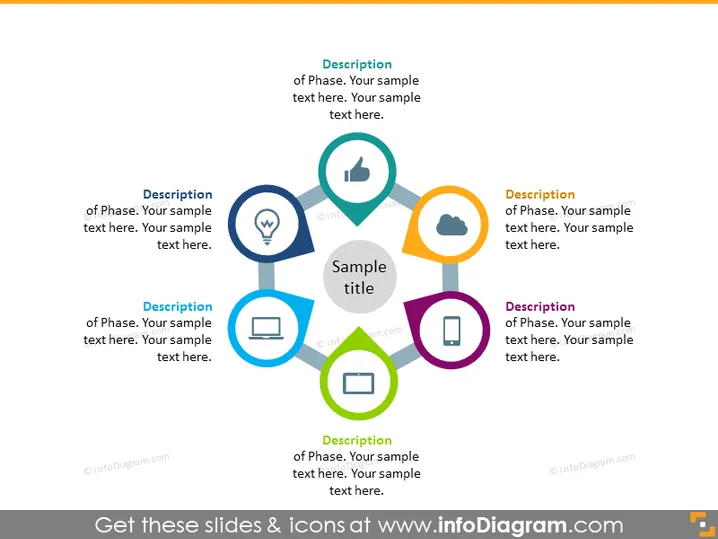
The slide presents a process or a sequence of events with six distinct phases, each accompanied by an icon symbolizing the phase's theme. The first phase involves a light bulb—a universal symbol for an idea or insight. The second phase is represented by a thumb up, perhaps suggesting approval or a positive evaluation step. The third consists of a cloud icon, which might indicate data processing or cloud computing. The fourth phase shows a monitor, likely representing a display or analysis phase. The fifth phase uses a tablet icon, possibly related to mobile technology or user interaction. The final phase features a square and arrow icon, typically symbolizing sharing or distribution.
The overall look of the slide is modern and professional, with an emphasis on clarity and readability. The use of colors and icons helps guide the viewer through the content in a logical and straightforward manner.




