
Reviews
Ihre Grafiken verleihen meinen Präsentationen eine nette Note, und ich habe sie kürzlich für eines meiner All-Hands-Meetings verwendet. Ihre Toolbox verleiht meinen Folien Professionalität, anstatt Standard-Clipart zu verwenden.
Ich brauchte einen neuen Blick auf einige meiner Folien. Ich habe versucht, einen Weg zu finden, einen Pinselschlag-Effekt zu erzielen, um zu unterstreichen, hervorzuheben, Farbe hinzuzufügen, und die handgeschriebenen Markierungen waren genau das Richtige. Sehr einfach zu bedienen, leicht in der Größe zu ändern, die Farbe zu ändern. Es war eine erschwingliche, perfekte Lösung und ich empfehle sie gerne weiter.
Die klare, saubere Optik der Grafiken und die Tatsache, dass ich die Farben leicht bearbeiten und an die Vorlage anpassen konnte, war mein Hauptgrund für den Kauf.
Description
Key Team Members List Diagram
Slide Content
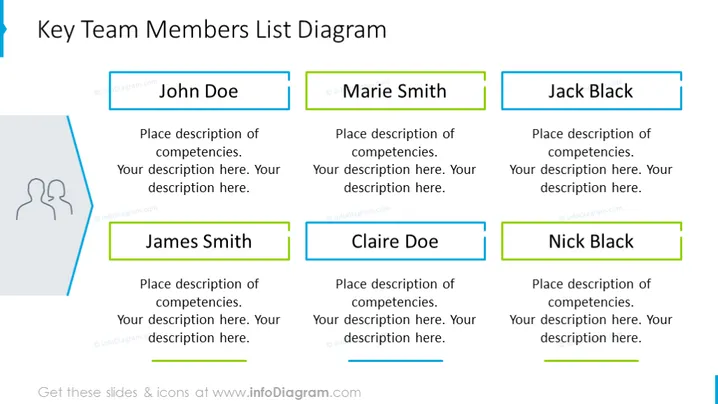
The PowerPoint slide titled "Key Team Members List Diagram" showcases six placeholders for team members' names and their corresponding competencies. Each name is highlighted with a colored rectangular textbox, suggesting personalization for each individual. The boxes for 'John Doe', 'Marie Smith', and 'Jack Black' are positioned in the top row, while 'James Smith', 'Claire Doe', and 'Nick Black' are aligned in the bottom row. The template is designed for a clear and organized presentation of key team members, their roles, or specific areas of expertise.
Graphical Look
- A light blue headline in a sans-serif font serves as the slide's title.
- Six rectangular text boxes serve as placeholders for team member names, three on the top row, three on the bottom.
- Each name rectangle features a different colored outline emphasizing individuality.
- Additional smaller text boxes below each name are designed for descriptive text or details about the individual's competencies.
- The rectangles are aligned neatly in two horizontal rows.
- A simple stylized icon of two silhouetted figures is present on the left, associated with the theme of team or personnel.
- The background color is white, providing a clean and uncluttered appearance for the other elements to stand out.
The overall look of the slide is professional, with a well-organized and clean design. The color-coded text boxes help to differentiate team members while maintaining a cohesive visual structure.
Use Cases
- Introducing key team members during a business or project presentation to stakeholders or clients.
- Outlining the organizational structure and the main points of contact within a company or department.
- Highlighting expertise areas and responsibilities of team members in kickoff meetings for new projects.
- Using it for company orientations to familiarize new employees with their colleagues and reporting hierarchy.
How to Edit
How to edit text & colors

How to expand / shorten diagram

How to Replace Icons in infoDiagram PPT


