
Reviews
Your graphics add a nice touch to my presentations and I recently used them for one of my all-hands meetings. Your toolbox adds professionalism to my slides. Instead of using standard clipart.
I needed a fresh look at some of my slides. I've tried to find a way to create a paintbrush effect, to underline, accentuate, add some color and the handwritten markers were just the things. Very easy to use, easy to size, change the color. It was an affordable, perfect solution and I'm happy to recommend it.
The crisp, clean look of the graphics, and the fact that it allowed me to easily edit and change the colors to match the template was my main reason for purchasing them.
Description
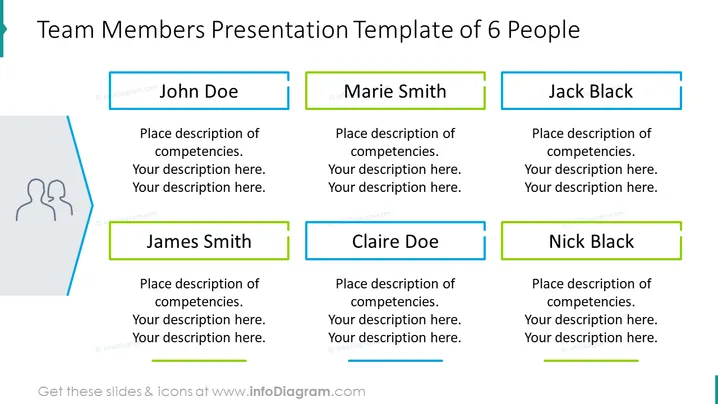
Team Members Presentation Template of 6 People
Slide Content
The slide is a template designed to present six team members, featuring placeholders for names and descriptions of their competencies. Each team member is represented by a colored box with their name, e.g., John Doe, Marie Smith, with additional space allotted for a brief description of their skills or role within the team. These placeholders suggest where the presenter can customize the slide with specific details about the team members' professional backgrounds or contributions to the project or organization.
Graphical Look
- The slide has a clean, professional design with a white background and six colored rectangular shapes, representing placeholders for team member information.
- Each rectangle has a different color outline, two in blue, two in green, and two with a grey border.
- There is a stylized silhouette icon of two people on the left side of the slide, enveloped by a blue decorative line.
- The title is prominently displayed at the top of the slide in bold, black font.
- Each name placeholder is in a bold typeface, while the competence description area features a lighter, regular typeface.
- Minor graphical elements, like the contrasting outline colors and the decorative silhouette icon, add visual interest without being distracting.
The overall look of the slide is modern and minimalist, with a clear sense of organization that makes it easy to digest information at a glance. The color-coding and simple iconography facilitate quick understanding of the slide’s purpose.
Use Cases
- Introducing the members of a project team during a business meeting or presentation to stakeholders.
- Highlighting key personnel and their roles in a proposal for a new initiative or project bid.
- Outlining the structure of a department or team during an organizational overview or training session.
- Using the template during employee onboarding to familiarize new staff with their teammates and respective roles.
How to Edit
How to edit text & colors

How to expand / shorten diagram

How to Replace Icons in infoDiagram PPT


