
Reviews
Ihre Grafiken verleihen meinen Präsentationen eine nette Note, und ich habe sie kürzlich für eines meiner All-Hands-Meetings verwendet. Ihre Toolbox verleiht meinen Folien Professionalität, anstatt Standard-Clipart zu verwenden.
Ich brauchte einen neuen Blick auf einige meiner Folien. Ich habe versucht, einen Weg zu finden, einen Pinselschlag-Effekt zu erzielen, um zu unterstreichen, hervorzuheben, Farbe hinzuzufügen, und die handgeschriebenen Markierungen waren genau das Richtige. Sehr einfach zu bedienen, leicht in der Größe zu ändern, die Farbe zu ändern. Es war eine erschwingliche, perfekte Lösung und ich empfehle sie gerne weiter.
Die klare, saubere Optik der Grafiken und die Tatsache, dass ich die Farben leicht bearbeiten und an die Vorlage anpassen konnte, war mein Hauptgrund für den Kauf.
Description
Icons: Calendar Pins & Flags
Slide Content
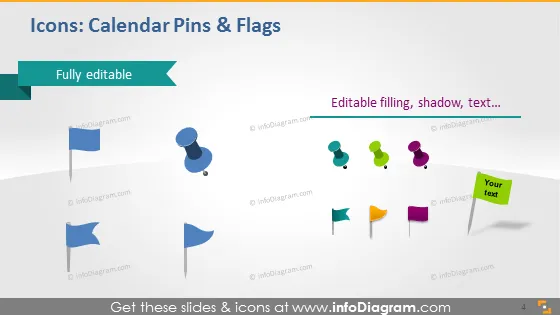
The slide appears to be a showcase for set icons that represent calendar pins and flags. It highlights that these icons are "Fully editable," implying users can tailor their color, size, filling, and add shadows or text according to their needs. The set consists of a range of pushpin styles and flags typically used to indicate events, milestones, or important notes in a calendar or planning document. Each concept demonstrated by an icon is meant to give an at-a-glance indication of personalization or scheduling.
Graphical Look
- A light blue header with the title in white text followed by a dark blue ribbon indicating the icons are "Fully editable."
- Two groups of icons shown against a slight gray gradient background.
- The first group to the left displays blue flag-like icons in various styles, including a circular and traditional pin shape.
- The second group to the right shows pins in different colors such as purple, green, orange, and yellow, and one flag has a speech bubble indicating "Your text" to demonstrate the editable text feature.
- The icons exhibit a three-dimensional effect with subtle shadows.
- A watermark style number '4' in the lower right corner, likely indicating the slide number in a sequence.
The slide employs a clean and modern design with a professional look. The colorful icons are well-spaced and presented with a shadow effect that gives a slight 3D appearance, adding to the visual appeal.
Use Cases
- In a project management presentation to denote deadlines, deliverables, or milestones on a timeline or calendar.
- Within a marketing plan to highlight key campaign launch dates or advertising schedules.
- As visual aid in an event planning overview to mark significant dates like venue bookings or registration deadlines.
- For personal productivity workshops or seminars to illustrate organizing tools and techniques that utilize calendar pins and flags for task management.
How to Edit
How to edit text & colors

How to expand / shorten diagram

How to Replace Icons in infoDiagram PPT


