
Reviews
Your graphics add a nice touch to my presentations and I recently used them for one of my all-hands meetings. Your toolbox adds professionalism to my slides. Instead of using standard clipart.
I needed a fresh look at some of my slides. I've tried to find a way to create a paintbrush effect, to underline, accentuate, add some color and the handwritten markers were just the things. Very easy to use, easy to size, change the color. It was an affordable, perfect solution and I'm happy to recommend it.
The crisp, clean look of the graphics, and the fact that it allowed me to easily edit and change the colors to match the template was my main reason for purchasing them.
Description
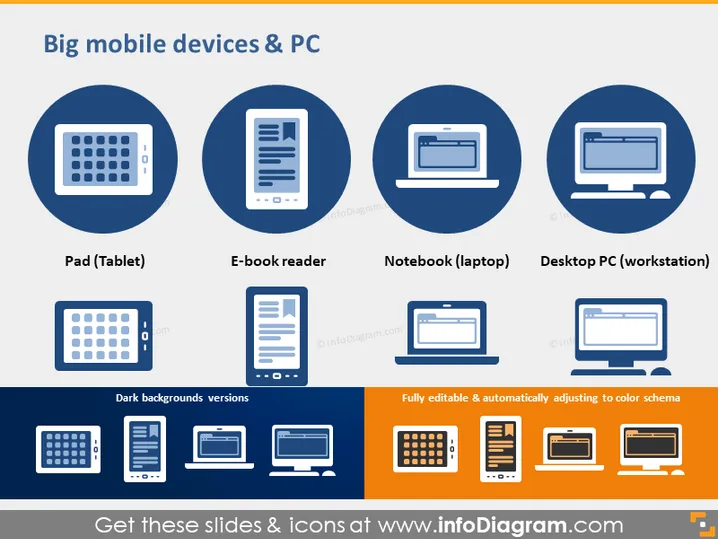
Big mobile devices & PC
Slide Content
The PowerPoint slide titled "Big mobile devices & PC" illustrates four different types of technological devices: Pad (Tablet), E-book reader, Notebook (laptop), and Desktop PC (workstation). Each device is represented by a simplified icon within a blue circle, and there is a second set of icons below in grey, indicating dark background versions of the same devices. On the bottom right, a note states that the icons are fully editable and automatically adjust to color schemes, suggesting customization options for the presentation.
Graphical Look
- Each device icon is encapsulated within a large, solid blue circle.
- Below the blue circles are the devices' corresponding titles in white font.
- A smaller set of icon representations of the devices in grey appear beneath each blue circle, labeled as "Dark backgrounds versions".
- A rectangular box with a blue border and orange filler contains text regarding the editability and color adaptability of the icons.
- The overall layout is grid-like, with two rows and four columns.
The slide has a clean, professional look with a limited color palette emphasizing blue and grey tones, with a touch of orange for contrast.
Use Cases
- To introduce different devices during a technology-focused presentation.
- When comparing features or purposes of tablets, e-readers, laptops, and desktops in a business setting.
- To visually enhance a slide in a sales pitch that includes technical specifications or recommendations for device procurements.
- For educational purposes, such as teaching students about the various types of computing devices available in the market.
How to Edit
How to edit text & colors

How to expand / shorten diagram

How to Replace Icons in infoDiagram PPT


