
Reviews
Ihre Grafiken verleihen meinen Präsentationen eine nette Note, und ich habe sie kürzlich für eines meiner All-Hands-Meetings verwendet. Ihre Toolbox verleiht meinen Folien Professionalität, anstatt Standard-Clipart zu verwenden.
Ich brauchte einen neuen Blick auf einige meiner Folien. Ich habe versucht, einen Weg zu finden, einen Pinselschlag-Effekt zu erzielen, um zu unterstreichen, hervorzuheben, Farbe hinzuzufügen, und die handgeschriebenen Markierungen waren genau das Richtige. Sehr einfach zu bedienen, leicht in der Größe zu ändern, die Farbe zu ändern. Es war eine erschwingliche, perfekte Lösung und ich empfehle sie gerne weiter.
Die klare, saubere Optik der Grafiken und die Tatsache, dass ich die Farben leicht bearbeiten und an die Vorlage anpassen konnte, war mein Hauptgrund für den Kauf.
Description
Table Outline Icons Set — Buildings
Slide Content
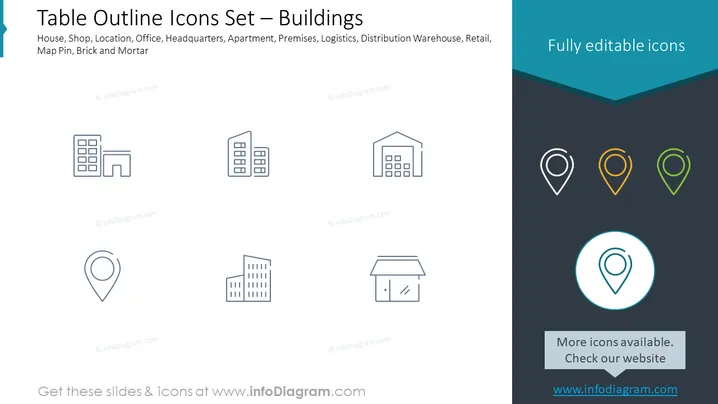
The slide presents a set of outlined icons representing various buildings and locations, including a House, Shop, Location, Office, Headquarters, Apartment, Premises, Logistics, Distribution Warehouse, Retail, Map Pin, and Brick and Mortar. These icons are presumably fully editable and can be used to visualize different types of infrastructure or real estate properties in a presentation. The icons can add visual interest and clarity when discussing locations or the physical aspects of a business or service.
Graphical Look
- The slide has a clean, professional design with a dark teal header and footer.
- A row of building icons is aligned at the top part of the slide, depicting structures like an office, shop, and warehouse.
- A row of map pin icons is placed at the bottom, each with a different color ranging from white to green.
- The main area of the slide has a white background, providing high contrast for the icons.
- Icons are stylized line drawings with minimal details, promoting easy recognition.
- On the right side, there's a text box with a phrase "Fully editable icons" in white font against the dark teal background.
- In the lower right corner, there's a circular map pin icon highlighted with a blue circle and a drop shadow for emphasis.
- A lighter gray rectangle near the bottom contains text inviting to check for more icons on their website, complementing the slide's purpose.
The overall look of the slide is modern and elegant, with a color scheme that provides a good balance between visual interest and professional appearance. The design favors simplicity, aiming for immediate recognition of the icons' representations.
Use Cases
- To illustrate different types of real estate or buildings during a business or real estate presentation.
- In an urban planning or infrastructure project proposal, highlighting various types of structures or locations.
- To visually enhance the discussion of company locations, such as headquarters and retail stores, in an annual report or investment pitch.
- As a visual aid for a logistics presentation, showcasing distribution warehouses, retail locations, and brick and mortar stores.
How to Edit
How to edit text & colors

How to expand / shorten diagram

How to Replace Icons in infoDiagram PPT


