
Reviews
Ihre Grafiken verleihen meinen Präsentationen eine nette Note, und ich habe sie kürzlich für eines meiner All-Hands-Meetings verwendet. Ihre Toolbox verleiht meinen Folien Professionalität, anstatt Standard-Clipart zu verwenden.
Ich brauchte einen neuen Blick auf einige meiner Folien. Ich habe versucht, einen Weg zu finden, einen Pinselschlag-Effekt zu erzielen, um zu unterstreichen, hervorzuheben, Farbe hinzuzufügen, und die handgeschriebenen Markierungen waren genau das Richtige. Sehr einfach zu bedienen, leicht in der Größe zu ändern, die Farbe zu ändern. Es war eine erschwingliche, perfekte Lösung und ich empfehle sie gerne weiter.
Die klare, saubere Optik der Grafiken und die Tatsache, dass ich die Farben leicht bearbeiten und an die Vorlage anpassen konnte, war mein Hauptgrund für den Kauf.
Description
TABLE OF CONTENTS
Slide Content
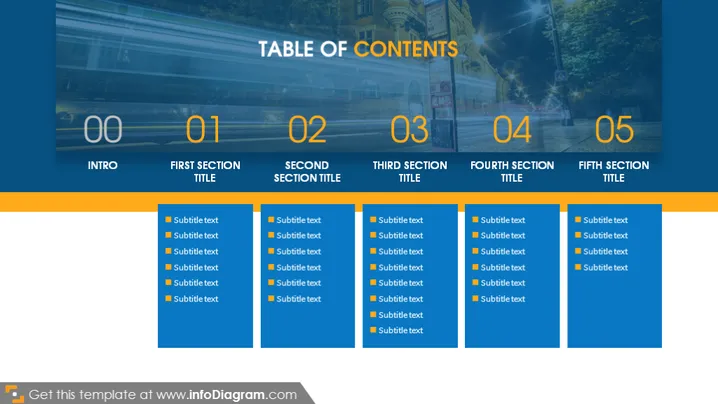
The PowerPoint slide presents a "Table of Contents" with five main sections, each accompanied by subtitles for further detail. The sections are numbered from 00 to 05, with "Intro" as the first section and the subsequent sections titled "First Section Title," "Second Section Title," "Third Section Title," "Fourth Section Title," and "Fifth Section Title." Each section title is followed by bullet points with placeholder text labeled as "Subtitle text," suggesting that each section will cover multiple topics or subpoints.
Graphical Look
- The slide background features a cityscape image with an overlay that is darker at the bottom and becomes progressively transparent towards the top.
- On the top of the slide, the title "TABLE OF CONTENTS" is prominently displayed in a large, bold, white font.
- The slide is divided into five columns, each one representing a section of the contents.
- Each column has a large, bold number at the top, ranging from 00 to 05, with a different background color gradient—from dark to light.
- Below each number, the section titles are listed in capitalized, white font underneath which are bullet points with placeholder "Subtitle text."
- The color scheme for the numbers and subtitles within each section varies, alternating between shades of blue and orange.
- Subtle design elements, like thin lines and additional shapes, are used to visually organize the content into distinct sections.
The slide has a professional and modern look with a clear structure that facilitates easy readability. The use of gradient color coding helps in distinguishing the different sections.
Use Cases
- Outlining the agenda for a business presentation or workshop, providing an overview of what will be covered.
- Introducing the various chapters or sections of a report during a meeting or webinar.
- Using it as a navigation tool in an interactive presentation, allowing the presenter to jump to different sections as needed.
- Providing a structured overview for educational lectures or training sessions to guide attendees through the material.
How to Edit
How to edit text & colors

How to expand / shorten diagram

How to Replace Icons in infoDiagram PPT


