
Reviews
Vos graphiques ajoutent une belle touche à mes présentations et je les ai récemment utilisés pour l'une de mes réunions générales. Votre boîte à outils ajoute du professionnalisme à mes diapositives. Au lieu d'utiliser des cliparts standards.
J'avais besoin d'un nouveau regard sur certaines de mes diapositives. J'ai essayé de trouver un moyen de créer un effet de pinceau, de souligner, d'accentuer, d'ajouter de la couleur et les marqueurs manuscrits étaient exactement ce qu'il fallait. Très facile à utiliser, facile à ajuster la taille, à changer la couleur. C'était une solution abordable et parfaite et je suis heureux de la recommander.
L'aspect net et épuré des graphiques, et le fait qu'il m'ait permis d'éditer et de changer facilement les couleurs pour les adapter au modèle, ont été les principales raisons de mon achat.
Description
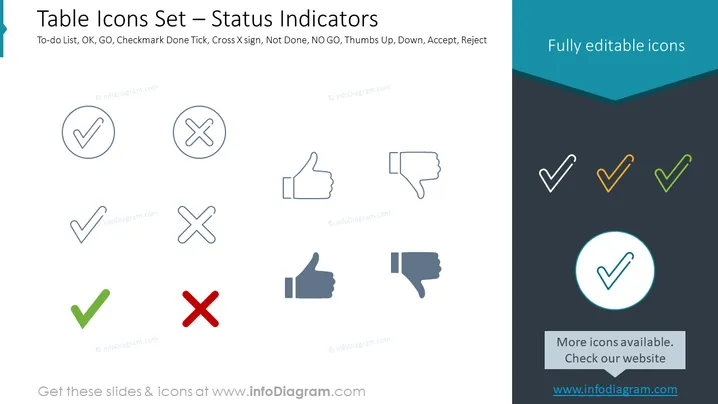
Table Icons Set – Status Indicators
Slide Content
The slide is titled "Table Icons Set – Status Indicators" and showcases a collection of icons used to represent different statuses such as completion, approval, or rejection. The slide mentions To-do List, OK, GO, Checkmark Done Tick, Cross X sign, Not Done, NO GO, Thumbs Up, Down, Accept, and Reject. Each icon on the slide represents a unique status concept: the checkmark for completed tasks, the cross for tasks not done or rejected, the thumbs up for approval, and the thumbs down for disapproval or rejection.
Graphical Look
- Two rows of icons are displayed, each containing four symbols.
- First-row icons are enclosed in lightly colored circles.
- Second-row icons are colored in different shades of gray, without any enclosures.
- The outlines of the icons in the first row are fine and light gray, while those in the second row have slightly bolder outlines.
- A single icon in a blue encircling is highlighted at the bottom right corner.
- At the top right corner, a dark teal rectangle, with the phrase "Fully editable icons" in white font, overlaps the main slide area diagonally.
The slide has a minimalistic design with a balanced distribution of icons. The colors are muted with a touch of vibrant blue for emphasis.
Use Cases
- To visually communicate project status updates in business or team meetings.
- For tracking task completion in project management presentations.
- In user interface design slideshows to depict different button states or actions.
- To enhance employee training materials with intuitive symbols indicating do's and don'ts.
How to Edit
How to edit text & colors

How to expand / shorten diagram

How to Replace Icons in infoDiagram PPT


