

Your graphics add a nice touch to my presentations and I recently used them for one of my all-hands meetings. Your toolbox adds professionalism to my slides. Instead of using standard clipart.
Claude Jones, Director of Engineer, @Walmartlabs, USA

Your graphics add a nice touch to my presentations and I recently used them for one of my all-hands meetings. Your toolbox adds professionalism to my slides. Instead of using standard clipart.
Claude Jones, Director of Engineer, @Walmartlabs, USA
I needed a fresh look at some of my slides. I've tried to find a way to create a paintbrush effect, to underline, accentuate, add some color and the handwritten markers were just the things. Very easy to use, easy to size, change the color. It was an affordable, perfect solution and I'm happy to recommend it.
Anonymous, US
The crisp, clean look of the graphics, and the fact that it allowed me to easily edit and change the colors to match the template was my main reason for purchasing them.
Brandie Jenkins, E-learning Developer, USA
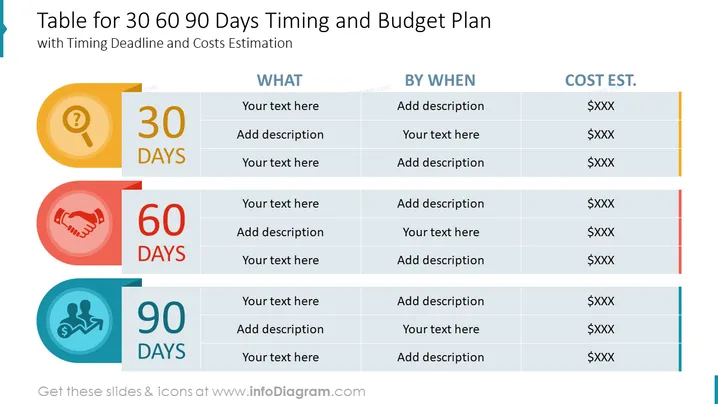
The slide features a table designed to organize and present a strategic plan with specific actions, deadlines, and estimated costs over a 30, 60, and 90-day period. Each time frame is highlighted with its own section, indicating a structured approach to achieving project milestones. The plan allows for detailed descriptions of what needs to be done, by when, and at what estimated cost, streamlining project management and financial forecasting.
The slide combines functional design with visual cues, employing a clear tabular format and color-coding to delineate time-specific tasks and financial details. The design is straightforward, emphasizing readability and ease of understanding.
Such a slide is apt for use in project planning meetings, budget reviews, and financial planning sessions within businesses. It can help project managers, team leads, and financial officers communicate time-bound actions and associated costs effectively.



