
Reviews
Ihre Grafiken verleihen meinen Präsentationen eine nette Note, und ich habe sie kürzlich für eines meiner All-Hands-Meetings verwendet. Ihre Toolbox verleiht meinen Folien Professionalität, anstatt Standard-Clipart zu verwenden.
Ich brauchte einen neuen Blick auf einige meiner Folien. Ich habe versucht, einen Weg zu finden, einen Pinselschlag-Effekt zu erzielen, um zu unterstreichen, hervorzuheben, Farbe hinzuzufügen, und die handgeschriebenen Markierungen waren genau das Richtige. Sehr einfach zu bedienen, leicht in der Größe zu ändern, die Farbe zu ändern. Es war eine erschwingliche, perfekte Lösung und ich empfehle sie gerne weiter.
Die klare, saubere Optik der Grafiken und die Tatsache, dass ich die Farben leicht bearbeiten und an die Vorlage anpassen konnte, war mein Hauptgrund für den Kauf.
Description
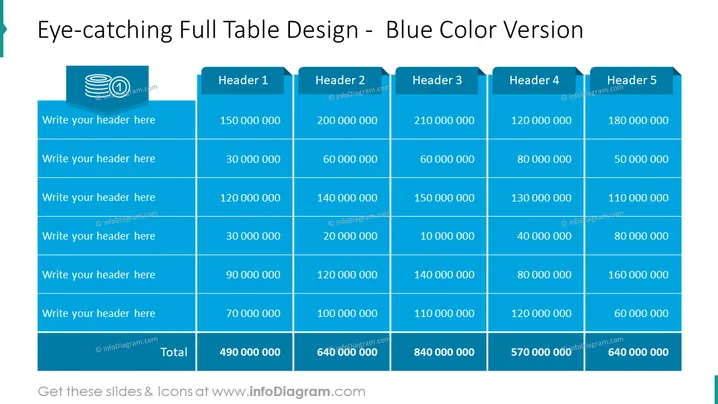
Eye-catching Full Table Design - Blue Color Version
Slide Content
The slide presents a detailed table titled "Eye-catching Full Table Design - Blue Color Version," indicating that this is the blue variation of a particular table design. The table consists of five vertical headers labeled Header 1 through Header 5, and also contains six horizontal placeholders where custom headers can be written. It's a financial table, as suggested by the large monetary values in each cell, with each cell containing values ranging from tens to hundreds of millions. The footer of the table displays the respective totals for each column, suggesting that the table is used to summarize numerical data, such as financial statistics for a certain period or across different categories.
Graphical Look
- The slide features a bold, dark blue theme, with varying shades used to distinguish table headers and rows.
- There are five column headers, each with a slightly darker shade of blue, labeled Header 1 to Header 5.
- Below the column headers are six rows for data input, with the rows alternating between two shades of blue for easier readability.
- Each cell within the table contains white-colored text, likely representing numerical values.
- The bottom row serves as a total for each column and is highlighted by being shaded darker than the other rows.
- There is a creative, tab-like design on top of the column headers which gives the slide an organized and stylish appearance.
- No distinct icons or additional graphics are present, apart from the watermark-like transparent logos on each of the headers.
The slide has a clean, professional look with a cohesive color scheme that emphasizes data readability. The contrast between the shades of blue and the white font makes the information easily accessible at a glance.
Use Cases
- Presenting consolidated financial reports such as annual sales figures, budget allocation, or revenue streams in business meetings.
- Summarizing quantitative research findings or statistical data in academic or scientific presentations.
- Exhibiting sales or performance targets versus actual outcomes for different departments or teams in a corporate setting.
- Using in project management reviews to showcase budget forecasts, expenses, or resource allocation across different project phases.
How to Edit
How to edit text & colors

How to expand / shorten diagram

How to Replace Icons in infoDiagram PPT


