
Reviews
Sus gráficos añaden un toque agradable a mis presentaciones y recientemente los usé para una de mis reuniones generales. Su conjunto de herramientas añade profesionalismo a mis diapositivas. En lugar de usar imágenes prediseñadas estándar.
Necesitaba un aspecto fresco para algunas de mis diapositivas. Había intentado encontrar una forma de crear un efecto de pincel, de subrayar, acentuar, añadir algo de color y los marcadores escritos a mano fueron justo lo que necesitaba. Muy fácil de usar, fácil de ajustar el tamaño, cambiar el color. Fue una solución asequible y perfecta, y estoy feliz de recomendarla.
El aspecto nítido y limpio de los gráficos, y el hecho de que me permitiera editar y cambiar fácilmente los colores para que coincidieran con la plantilla fue mi principal razón para comprarlos.
Description
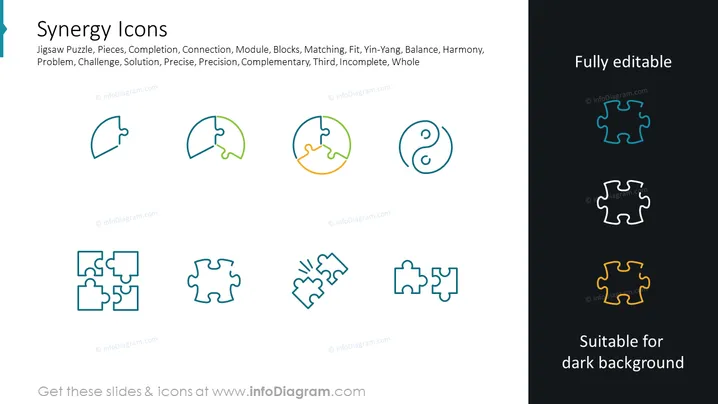
Synergy Icons
Slide Content: This PowerPoint slide presents a collection titled "Synergy Icons," which includes various jigsaw puzzle pieces symbolizing concept such as Jigsaw Puzzle, Pieces, Completion, Connection, Module, Blocks, Matching, Fit, Yin-Yang, Balance, Harmony, Problem, Challenge, Solution, Precise, Precision, Complementary, Third, Incomplete, and Whole. These elements likely represent different aspects of synergy, collaboration, and interconnectivity in a business or creative context, with each term expanding on how these concepts apply to problem solving and organizational efficiency.
Graphical Look:
- The slide has a title at the top in bold, large font.
- Below the title, there's a descriptive line that lists related synergy concepts in smaller font.
- There are eight icons distributed evenly across the slide in two rows.
- The top row shows four icons, depicted as singular jigsaw pieces, with two of them featuring a subtle two-tone gradient.
- The bottom row also includes four icons, with two showing multiple jigsaw pieces connected and two showing singular pieces.
- Icons are outlined with a stroke effect and have a slight shadow for a 3D look.
- The slide background is white with a section on the right that is dark, illustrating the icons' suitability on different backgrounds.
- "Fully editable" and "Suitable for dark background" are written on the upper-right and lower-right corners of the slide respectively.
- There is an informational tagline at the bottom center stating where to get these slides and icons.
The overall look is modern and professional with a clean design. The icons use a minimalist style with pleasing colors and gradients, emphasizing the theme of synergy and interconnectedness.
Use Cases:
- To visually represent teamwork, partnership, and collaboration in business strategy presentations.
- To illustrate how different departments or elements of a project fit together harmoniously.
- For workshops or training sessions about problem-solving, innovation, and process improvement.
- In marketing materials toconvey the concept of a product or service that brings various benefits working in synergy.
How to Edit
How to edit text & colors

How to expand / shorten diagram

How to Replace Icons in infoDiagram PPT


