
Reviews
Sus gráficos añaden un toque agradable a mis presentaciones y recientemente los usé para una de mis reuniones generales. Su conjunto de herramientas añade profesionalismo a mis diapositivas. En lugar de usar imágenes prediseñadas estándar.
Necesitaba un aspecto fresco para algunas de mis diapositivas. Había intentado encontrar una forma de crear un efecto de pincel, de subrayar, acentuar, añadir algo de color y los marcadores escritos a mano fueron justo lo que necesitaba. Muy fácil de usar, fácil de ajustar el tamaño, cambiar el color. Fue una solución asequible y perfecta, y estoy feliz de recomendarla.
El aspecto nítido y limpio de los gráficos, y el hecho de que me permitiera editar y cambiar fácilmente los colores para que coincidieran con la plantilla fue mi principal razón para comprarlos.
Description
All diagram charts are easy to adapt
Slide Content
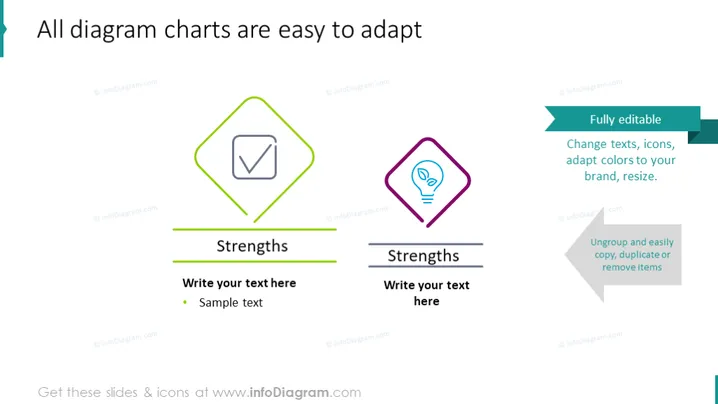
The slide appears to be showcasing the customizability and ease of adaptation of diagram charts in a presentation. It illustrates two distinct sections, both titled "Strengths," which suggest areas of potential advantage or positive features. These sections are placeholders for the presenter to provide their own text and examples, underlining the slide's purpose as a template for identifying and discussing the strong points of a topic or a business case.
Graphical Look
- Two main content boxes with icons, both titled "Strengths".
- The left box has a green outline with a check mark icon signaling confirmation or completion.
- The right box features a purple outline with a lightbulb icon, possibly denoting a good idea or innovation.
- Both content boxes have a horizontal title bar and a text area beneath them for customization.
- Stylized green and grey horizontal lines underscore the respective title bars of each content section.
The slide employs a clean, modern design with plenty of white space, which makes the content easily readable. The colour scheme is based on contrasting hues of green and purple, providing visual interest and guiding the viewer's attention to specific areas.
Use Cases
- In business strategy presentations to highlight and discuss the strengths of a project or business plan.
- During team meetings to focus on the positive aspects of team performance or project outcomes.
- As part of a SWOT analysis (Strengths, Weaknesses, Opportunities, Threats) to visually represent strengths.
- For educational purposes, to teach students how to create effective, visually engaging presentation content.
How to Edit
How to edit text & colors

How to expand / shorten diagram

How to Replace Icons in infoDiagram PPT


