
Reviews
Sus gráficos añaden un toque agradable a mis presentaciones y recientemente los usé para una de mis reuniones generales. Su conjunto de herramientas añade profesionalismo a mis diapositivas. En lugar de usar imágenes prediseñadas estándar.
Necesitaba un aspecto fresco para algunas de mis diapositivas. Había intentado encontrar una forma de crear un efecto de pincel, de subrayar, acentuar, añadir algo de color y los marcadores escritos a mano fueron justo lo que necesitaba. Muy fácil de usar, fácil de ajustar el tamaño, cambiar el color. Fue una solución asequible y perfecta, y estoy feliz de recomendarla.
El aspecto nítido y limpio de los gráficos, y el hecho de que me permitiera editar y cambiar fácilmente los colores para que coincidieran con la plantilla fue mi principal razón para comprarlos.
Description
SWOT Outline Letters - Opportunities Analysis Description
Slide Content
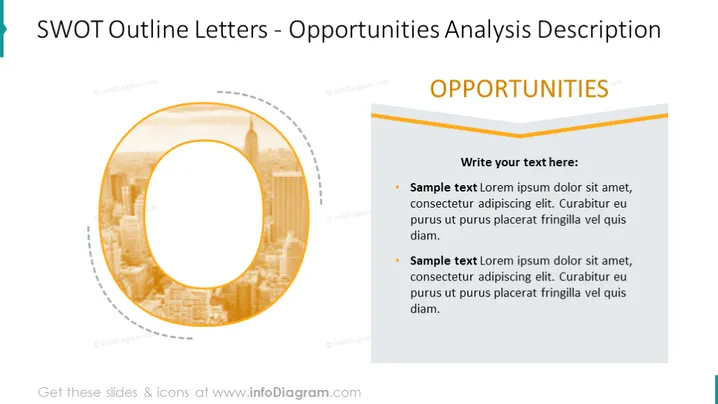
The slide is a template for presenting "Opportunities" in a SWOT analysis. "SWOT" stands for Strengths, Weaknesses, Opportunities, and Threats. SWOT analysis is a strategic planning technique used to help identify these four aspects of a project or business venture. The slide features a section for adding a descriptive text about the identified opportunities, formatted in bullet points which can be customized with relevant information.
Graphical Look
- The slide background is white.
- A large letter "O," representing "Opportunities," dominates the left side of the slide. It uses an orange gradient outline.
- Inside the letter "O," there is a semi-transparent image of a city skyline.
- To the right, there is a text box with the heading "OPPORTUNITIES" in bold, dark blue font.
- Below the heading, there is a placeholder for text with an example in light gray fonts.
- The placeholder text is introduced by "Write your text here:" in dark gray, followed by two bullet points with "Sample text" in the same color.
- The top and bottom of the text box are bordered by orange lines, matching the color of the letter "O."
The slide has a clean and modern look with a color scheme that relies on orange accents to draw attention to the key points of the analysis. The right side of the slide is dedicated to text, while the left side features a large graphic letter that provides a visual representation of the content.
Use Cases
- To present opportunities in a business or project SWOT analysis during meetings.
- For consultants to visually communicate potential growth areas to clients.
- In workshops or seminars that teach strategic business planning methodologies.
- As part of a business plan or proposal to highlight opportunities that can be leveraged.
How to Edit
How to edit text & colors

How to expand / shorten diagram

How to Replace Icons in infoDiagram PPT


