
Reviews
Your graphics add a nice touch to my presentations and I recently used them for one of my all-hands meetings. Your toolbox adds professionalism to my slides. Instead of using standard clipart.
I needed a fresh look at some of my slides. I've tried to find a way to create a paintbrush effect, to underline, accentuate, add some color and the handwritten markers were just the things. Very easy to use, easy to size, change the color. It was an affordable, perfect solution and I'm happy to recommend it.
The crisp, clean look of the graphics, and the fact that it allowed me to easily edit and change the colors to match the template was my main reason for purchasing them.
Description
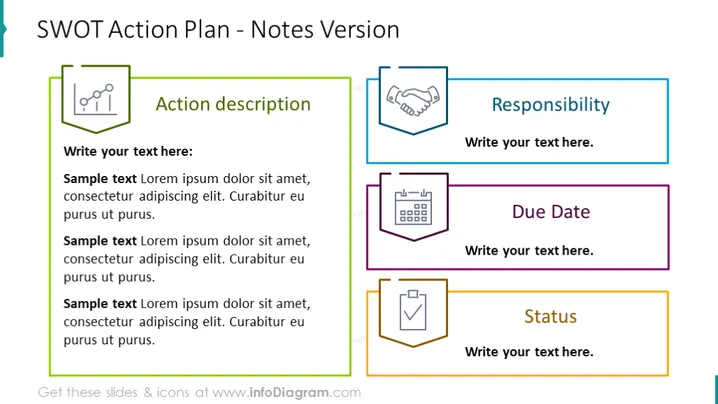
SWOT Action Plan - Notes Version
Slide Content
The slide presents a structured approach to creating a SWOT Action Plan with a focus on notes and details. Each of the four sections includes a title, an icon, and space for elaborative text. "Action description" provides a large area for a thorough explanation of actions, implying detailed planning. "Responsibility" allocates space to assign specific personnel or teams to tasks. "Due Date" suggests a section for timelines, promoting effective deadline management. "Status" offers a section to track the progress or condition of the action items, which is crucial for monitoring implementation.
Graphical Look
- The slide background is white, providing a clean and minimalistic look.
- The slide title is placed at the top in dark text within a light green banner.
- Four content boxes are present, each with a different color outline: green, blue, purple, and orange.
- Each content box contains a descriptive header followed by a placeholder for text and accompanied by a corresponding icon.
- The icons depict a chart, a handshake, a calendar, and a checklist, matching their respective content box themes.
- The placeholder text is in italicized gray, suggesting where users can add their own content.
The slide is visually balanced with clearly divided sections for different components of an action plan. The color-coding and related icons aid in quickly associating information with its intended category.
Use Cases
- During strategic planning sessions to formulate and assign actionable steps derived from a SWOT analysis.
- In project management to define and track responsibilities, deadlines, and statuses of tasks.
- For team meetings to communicate and update progress on various action items.
- In presentations to stakeholders to outline planned initiatives and their implementation measures.
How to Edit
How to edit text & colors

How to expand / shorten diagram

How to Replace Icons in infoDiagram PPT


