

Your graphics add a nice touch to my presentations and I recently used them for one of my all-hands meetings. Your toolbox adds professionalism to my slides. Instead of using standard clipart.
Claude Jones, Director of Engineer, @Walmartlabs, USA

Your graphics add a nice touch to my presentations and I recently used them for one of my all-hands meetings. Your toolbox adds professionalism to my slides. Instead of using standard clipart.
Claude Jones, Director of Engineer, @Walmartlabs, USA
I needed a fresh look at some of my slides. I've tried to find a way to create a paintbrush effect, to underline, accentuate, add some color and the handwritten markers were just the things. Very easy to use, easy to size, change the color. It was an affordable, perfect solution and I'm happy to recommend it.
Anonymous, US
The crisp, clean look of the graphics, and the fact that it allowed me to easily edit and change the colors to match the template was my main reason for purchasing them.
Brandie Jenkins, E-learning Developer, USA
The 26 cantons of Switzerland are the member states of the Swiss Confederation. The nucleus of the Swiss Confederacy in the form of the first three confederate allies used to be referred to as the Waldstätte. Each canton of the Old Swiss Confederacy, formerly also Ort was a fully sovereign state with its own border controls, army, and currency from at least the Treaty of Westphalia (1648) until the establishment of the Swiss federal state in 1848, with a brief period of centralized government during the Helvetic Republic. The term Kanton has been widely used since the 19th century. Wikipedia
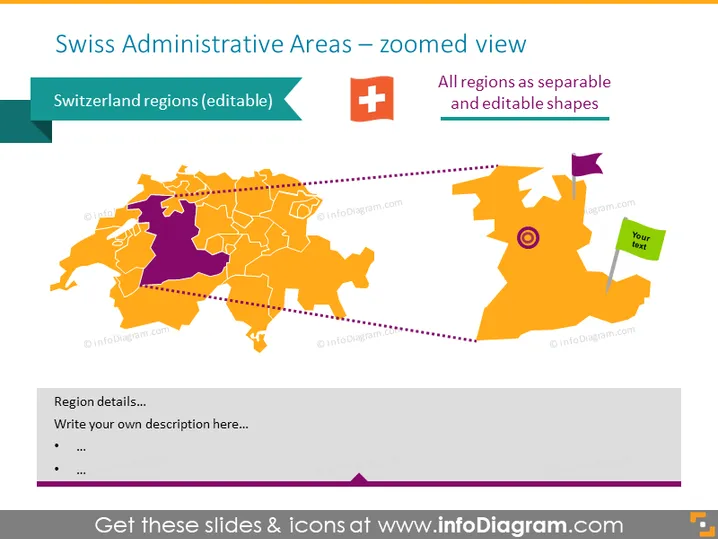
This presentation template illustrates the current administrative regions map of Switzerland. The region visuals are fully editable. You can change the color of any region, separate them, or recolor them for your presentations.
This Switzerland Administrative Areas Map slide is a part of our Western Europe Map with Administrative Territories (Germany, France PPT editable Maps).



