
Reviews
Your slides are my "secret sauce" when it comes to presenting my ideas to clients. I save a lot of time.
J'avais un délai de livraison à respecter et je n'avais pas le temps de créer une variété de modèles de diapositives. Infodiagram m'a proposé des options faciles à télécharger et à personnaliser en fonction de mes besoins !
Vos diapositives suscitent souvent de précieux commentaires et idées de la part de mon équipe, ce qui améliore les diapositives finales.
Description
Switching Cards Template
Slide Content
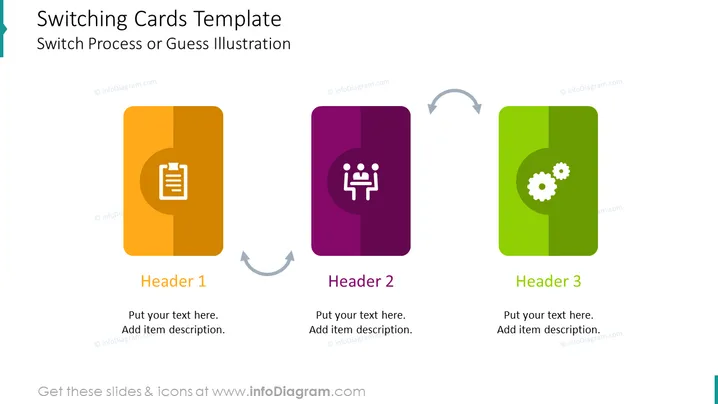
The slide titled "Switching Cards Template" represents a process or concept with three main components, each marked with a distinctive icon and titled "Header 1," "Header 2," and "Header 3." The three colored cards exemplify steps or options in a process, with placeholders beneath each labeled "Put your text here," accompanied by a line for additional description, indicating where the presenter can insert specific information.
Graphical Look
- The slide background is white.
- At the top, the slide title is in a sizable, bold, teal font.
- There are three vertical, rounded-rectangle cards with a flat design, equally spaced across the slide.
- Each card has a distinct, bold color: the first is orange, the second is purple, and the third is green.
- On the upper half of each card, there is a white icon relating to the header: a clipboard on the first, group figures on the second, and gears on the third.
- Below the icons, each card has a space for a text header followed by two lines for additional descriptive text.
- Gray curved arrows connect the cards in a circular flow pattern, suggesting a cyclical or iterative process.
The overall look is clean and modern, with a minimalistic style focusing on clarity and ease of understanding. The brightly colored cards attract attention and differentiate sections effectively.
Use Cases
- To illustrate the phases of a project or business strategy in a sequence.
- For demonstrating the steps in a user experience or customer journey.
- As a visual aid for explaining the cyclical nature of a continuous improvement process.
- To compare and contrast different scenarios or options in a decision-making presentation.
How to Edit
How to edit text & colors

How to expand / shorten diagram

How to Replace Icons in infoDiagram PPT


