
Reviews
Sus gráficos añaden un toque agradable a mis presentaciones y recientemente los usé para una de mis reuniones generales. Su conjunto de herramientas añade profesionalismo a mis diapositivas. En lugar de usar imágenes prediseñadas estándar.
Necesitaba un aspecto fresco para algunas de mis diapositivas. Había intentado encontrar una forma de crear un efecto de pincel, de subrayar, acentuar, añadir algo de color y los marcadores escritos a mano fueron justo lo que necesitaba. Muy fácil de usar, fácil de ajustar el tamaño, cambiar el color. Fue una solución asequible y perfecta, y estoy feliz de recomendarla.
El aspecto nítido y limpio de los gráficos, y el hecho de que me permitiera editar y cambiar fácilmente los colores para que coincidieran con la plantilla fue mi principal razón para comprarlos.
Description
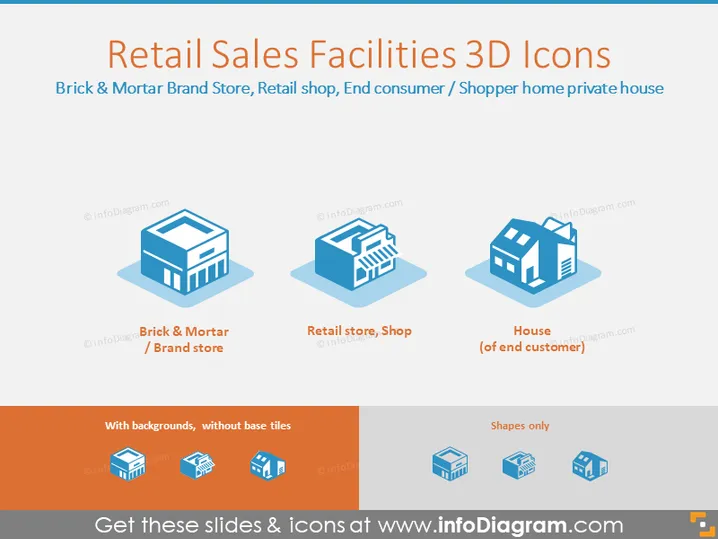
Retail Sales Facilities 3D Icons
Slide Content
This PowerPoint slide is titled "Retail Sales Facilities 3D Icons" and showcases icons of a "Brick & Mortar / Brand store," "Retail store, Shop," and "House (of end customer)." Each icon represents a different aspect of the retail industry, from the physical storefronts where brands display their goods (Brick & Mortar / Brand store) to the places where consumers typically make purchases (Retail store, Shop) and finally, to the homes of the customers who are the end-users of retail products (House of end customer), emphasizing the journey of goods from store to home.
Graphical Look
- The slide has a clean, modern look with a light blue background.
- Three 3D icons are evenly spaced across the slide, each depicting a different retail facility.
- Below each icon is a label in blue text describing the corresponding image.
- Icons have a slight shadow effect, giving the impression of floating above the slide.
- Each icon rests on a flat blue square that serves as a platform, enhancing the 3D effect.
- The text and icons are arranged in a horizontally aligned layout.
The overall look of the slide is professional and visually appealing, with a cohesive color scheme that allows for easy interpretation of the content.
Use Cases
- Presenting the different components of a retail supply chain in a business presentation.
- Explaining the concept of brick-and-mortar versus online retail platforms in a marketing strategy meeting.
- Illustrating the customer journey from store to home in a customer experience training.
- Using as visual aids in a real estate presentation to discuss various property types related to retail.
How to Edit
How to edit text & colors

How to expand / shorten diagram

How to Replace Icons in infoDiagram PPT


