

Your graphics add a nice touch to my presentations and I recently used them for one of my all-hands meetings. Your toolbox adds professionalism to my slides. Instead of using standard clipart.
Claude Jones, Director of Engineer, @Walmartlabs, USA

Your graphics add a nice touch to my presentations and I recently used them for one of my all-hands meetings. Your toolbox adds professionalism to my slides. Instead of using standard clipart.
Claude Jones, Director of Engineer, @Walmartlabs, USA
I needed a fresh look at some of my slides. I've tried to find a way to create a paintbrush effect, to underline, accentuate, add some color and the handwritten markers were just the things. Very easy to use, easy to size, change the color. It was an affordable, perfect solution and I'm happy to recommend it.
Anonymous, US
The crisp, clean look of the graphics, and the fact that it allowed me to easily edit and change the colors to match the template was my main reason for purchasing them.
Brandie Jenkins, E-learning Developer, USA
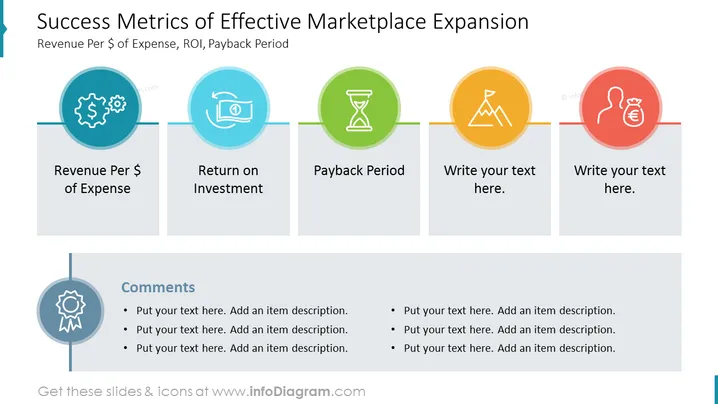
This PowerPoint slide is titled 'Success Metrics of Effective Marketplace Expansion' with a subtitle mentioning 'Revenue Per $ of Expense, ROI, Payback Period.' It presents three key performance indicators (KPIs): Revenue Per $ of Expense represents how much revenue is generated for each dollar spent, Return on Investment (ROI) measures the profitability of investments, Payback Period calculates the time taken to recoup the investment. There are two placeholders for additional metrics which can be customized according to the presenter’s needs. Below, there's space for comments with bullet points for detailed descriptions.
The slide is cleanly designed with a professional and analytical feel, using a color-coded scheme to visually separate the key metrics. The progression from left to right suggests a chronological sequence or increasing level of detail.



