
Reviews
Your graphics add a nice touch to my presentations and I recently used them for one of my all-hands meetings. Your toolbox adds professionalism to my slides. Instead of using standard clipart.
I needed a fresh look at some of my slides. I've tried to find a way to create a paintbrush effect, to underline, accentuate, add some color and the handwritten markers were just the things. Very easy to use, easy to size, change the color. It was an affordable, perfect solution and I'm happy to recommend it.
The crisp, clean look of the graphics, and the fact that it allowed me to easily edit and change the colors to match the template was my main reason for purchasing them.
Description
Success Metrics Examples of CapEx Investments
Slide Content
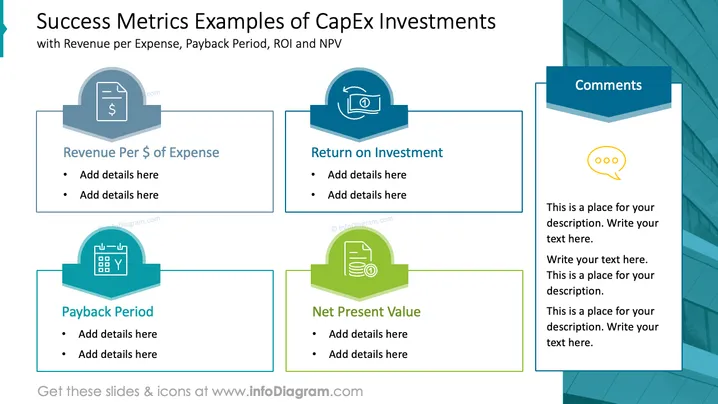
The slide is titled "Success Metrics Examples of CapEx Investments" and presents four different financial concepts: Revenue per Expense, Return on Investment (ROI), Payback Period, and Net Present Value (NPV). Each concept is associated with an icon and two bullet points for additional details. Revenue per Expense may involve measuring the efficiency of spending, ROI quantifies the gain from investments, Payback Period calculates how long it takes to recoup an investment, and NPV assesses the profitability of a project by considering the time value of money.
Graphical Look
- A teal and blue color scheme is implemented throughout the slide design.
- Four distinct content blocks are present, each with a unique icon and corresponding label.
- The first icon depicts a bill with a dollar sign, symbolizing Revenue per $ of Expense.
- The second icon shows a refresh or recycle symbol, indicating Return on Investment.
- The third icon features a calendar with a "Y" for the Payback Period.
- The fourth icon presents a document with a graph, representing Net Present Value.
- A comments section is located to the right with a speech bubble icon, encased in a unique, elongated hexagon shape.
- The slide background shows an abstract geometric design with blue tones.
The slide has a clean and professional layout with logically structured information blocks for easy readability. The use of icons corresponding to each financial concept provides visual cues to aid in the viewer's comprehension.
Use Cases
- Presenting to stakeholders or investors about the financial performance metrics of capital expenditure projects.
- Training or educational sessions explaining the key financial indicators used in evaluating investments.
- Financial analysis meetings to discuss the expected outcomes and efficiency of proposed or ongoing projects.
- Board or committee meetings to support decision-making regarding funding allocations and project prioritization based on financial success criteria.
How to Edit
How to edit text & colors

How to expand / shorten diagram

How to Replace Icons in infoDiagram PPT


