
Reviews
Ihre Grafiken verleihen meinen Präsentationen eine nette Note, und ich habe sie kürzlich für eines meiner All-Hands-Meetings verwendet. Ihre Toolbox verleiht meinen Folien Professionalität, anstatt Standard-Clipart zu verwenden.
Ich brauchte einen neuen Blick auf einige meiner Folien. Ich habe versucht, einen Weg zu finden, einen Pinselschlag-Effekt zu erzielen, um zu unterstreichen, hervorzuheben, Farbe hinzuzufügen, und die handgeschriebenen Markierungen waren genau das Richtige. Sehr einfach zu bedienen, leicht in der Größe zu ändern, die Farbe zu ändern. Es war eine erschwingliche, perfekte Lösung und ich empfehle sie gerne weiter.
Die klare, saubere Optik der Grafiken und die Tatsache, dass ich die Farben leicht bearbeiten und an die Vorlage anpassen konnte, war mein Hauptgrund für den Kauf.
Description
Key Success Factors
Slide Content
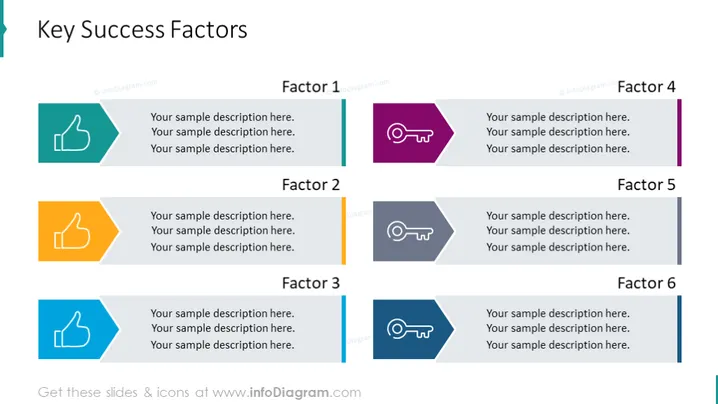
The PowerPoint slide presents "Key Success Factors" divided into six factors, each accompanied by a symbol and placeholders for a description. Factor 1 and Factor 3 are symbolized by thumbs up icons, depicting approval or success. Factor 2 is highlighted with two thumbs up, emphasizing a higher level of agreement or doubling the positive sentiment. Factors 4, 5, and 6 feature similar icons of a whistle with lines, possibly symbolizing leadership, guidance, or calling attention to important points. For each factor, there are three lines of sample text, indicating where detailed explanations should be inserted.
Graphical Look
- The slide uses a clean, professional color palette with a white background.
- Six colored rectangular shapes are placed in two rows and three columns, with each color distinct: green, orange, and blue for the top row, and purple, grey, and light blue for the bottom row.
- Each rectangle features a unique icon on the left side, with icons including thumbs up and whistles.
- These graphics have a flat design style, with shadow effects for a slight 3D appearance.
- Beside each rectangular shape is a text field for each factor's description, separated by vertical lines that match the colors of the rectangles.
- The slide title is at the top, aligned left in a large, bold font.
The slide is visually balanced and uses color coding to distinguish between different factors. The icons are simple yet descriptive, conveying abstract concepts related to success in an understandable way.
Use Cases
- Presenting critical factors contributing to a project's or business's success during internal meetings.
- Outlining essential elements of a strategy in a stakeholder presentation.
- Summarizing the key focus areas to achieve organizational goals in a management summary.
- Leading a training session on best practices for achieving excellence in specific business domains.
How to Edit
How to edit text & colors

How to expand / shorten diagram

How to Replace Icons in infoDiagram PPT


