
Reviews
Sus gráficos añaden un toque agradable a mis presentaciones y recientemente los usé para una de mis reuniones generales. Su conjunto de herramientas añade profesionalismo a mis diapositivas. En lugar de usar imágenes prediseñadas estándar.
Necesitaba un aspecto fresco para algunas de mis diapositivas. Había intentado encontrar una forma de crear un efecto de pincel, de subrayar, acentuar, añadir algo de color y los marcadores escritos a mano fueron justo lo que necesitaba. Muy fácil de usar, fácil de ajustar el tamaño, cambiar el color. Fue una solución asequible y perfecta, y estoy feliz de recomendarla.
El aspecto nítido y limpio de los gráficos, y el hecho de que me permitiera editar y cambiar fácilmente los colores para que coincidieran con la plantilla fue mi principal razón para comprarlos.
Description
Sample Title
Slide Content
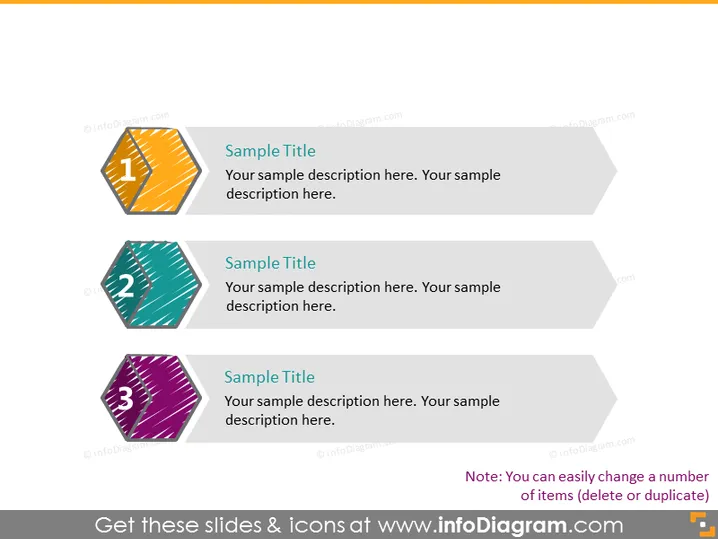
The PowerPoint slide is designed to present three key points or steps in a process. Each point is represented by a numbered banner with a unique color and space for a descriptive title and additional text. The first step is highlighted with the number "1" and stylized lines on an orange background, indicating the starting point. The second step uses a similar design with the number "2" on a teal background. The third step has the number "3" set against a purple backdrop. This format is conducive to outlining steps in a sequence, where each number could specify a phase, a part of a strategy, or important milestones in a project.
Graphical Look
- The slide has a white background that makes the colored banners stand out.
- Three diagonal banner shapes are used, each containing a stylized representation of numbers 1 to 3.
- Each banner has a distinct base color: orange for the first, teal for the second, and purple for the third.
- Within each banner, there is a pattern of diagonal lines that adds texture.
- The text areas are clean and white, shaped like speech bubbles pointing towards the center of the slide.
- Each banner is connected to its corresponding text area, creating a cohesive visual element.
The overall look of the slide is modern and sleek, with a clean design that uses color and shape to differentiate and emphasize each point. The banners are eye-catching and suggest progression from one point to the next.
Use Cases
- To outline a step-by-step process or workflow in a business strategy presentation.
- As an agenda slide at the beginning of a meeting or workshop to highlight key discussion topics.
- In a marketing presentation to illustrate phases of a campaign roll-out.
- During training sessions to break down a concept or procedure into digestible parts for participants.
How to Edit
How to edit text & colors

How to expand / shorten diagram

How to Replace Icons in infoDiagram PPT


