
Reviews
Your graphics add a nice touch to my presentations and I recently used them for one of my all-hands meetings. Your toolbox adds professionalism to my slides. Instead of using standard clipart.
I needed a fresh look at some of my slides. I've tried to find a way to create a paintbrush effect, to underline, accentuate, add some color and the handwritten markers were just the things. Very easy to use, easy to size, change the color. It was an affordable, perfect solution and I'm happy to recommend it.
The crisp, clean look of the graphics, and the fact that it allowed me to easily edit and change the colors to match the template was my main reason for purchasing them.
Description
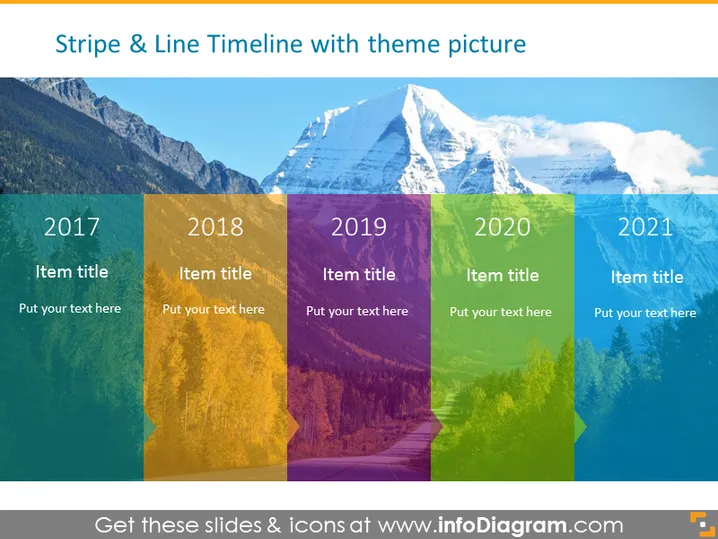
Stripe & Line Timeline with theme picture
Slide Content
The slide shows a timeline spanning from 2017 to 2021, with each year presented on a colored rectangular stripe overlaying a scenic background picture. Each stripe also contains a placeholder for an 'Item title' and a separate placeholder for descriptive text. This format is designed to clearly convey a sequence of events, milestones, or developments over a five-year period.
Graphical Look
- Background: A landscape photograph of mountains and forests is stretched across the entire slide.
- Colorful Rectangles: Over the background, there are five vertical, semi-transparent colored rectangles corresponding to different years from 2017 to 2021.
- Text Boxes: Each rectangle has two text boxes for adding a title and a description.
- Font: The years are written in large, bold, white font, while the placeholders for titles and descriptions have smaller text size and are also white.
- Reflection Effect: At the bottom of the rectangles, there is a subtle reflection effect to give the impression that the timeline "hovers" above the background.
The slide has a professional and aesthetically pleasing look with a nature-inspired background and contrasting colored stripes for textual information. The use of transparency allows for visibility of the landscape, while maintaining readability of the text.
Use Cases
- To present company milestones or achievements over a period of five years.
- To outline the stages of project development or product releases in chronological order.
- To illustrate a timeline of events in a business sector or industry trend analysis.
- To showcase the progression of a strategic plan, including goals and objectives set for each year.
How to Edit
How to edit text & colors

How to expand / shorten diagram

How to Replace Icons in infoDiagram PPT


