
Reviews
Your graphics add a nice touch to my presentations and I recently used them for one of my all-hands meetings. Your toolbox adds professionalism to my slides. Instead of using standard clipart.
I needed a fresh look at some of my slides. I've tried to find a way to create a paintbrush effect, to underline, accentuate, add some color and the handwritten markers were just the things. Very easy to use, easy to size, change the color. It was an affordable, perfect solution and I'm happy to recommend it.
The crisp, clean look of the graphics, and the fact that it allowed me to easily edit and change the colors to match the template was my main reason for purchasing them.
Description
Strategy Symbols
Slide Content
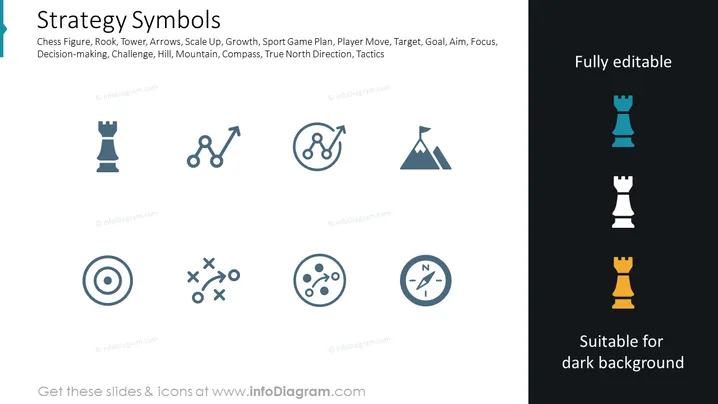
The slide is titled "Strategy Symbols" and contains icons and text representing different strategic concepts. The chess rook symbolizes structure and strategic positions or moves in a plan. The arrows pointing upwards represent growth or scaling up. Cyclists convey a sense of competition or a sports game plan. The mountain peak signifies goals, achievements, or challenges. The dartboard icon represents achieving a target or focusing on an objective. The strategy interplay marked by 'X' and 'O' likely symbolizes tactical moves or planning. Lastly, the compass indicates direction, guidance, or strategic navigation.
Graphical Look
- The slide has a clean, minimalist design with a white background and a dark sidebar on the right.
- There are seven main graphical objects, each representing a strategy concept with minimalist icons in a muted blue-gray color.
- The icons are evenly spaced in a grid layout featuring two rows, with the bottom row having a slightly larger icon in the form of a compass.
- To the right side of the slide, there is a vertical strip with contrasting colors featuring three variations of a chess piece (rook) in different colors and opacities, indicating that the content is adaptable to alternative backgrounds.
- The text "Fully editable" is placed at the top of the vertical sidebar, suggesting that the slide's content can be customized.
The slide exudes a professional and stylized aesthetic suitable for formal presentations. The use of icons and limited text ensures clarity and focus on the strategic concepts being represented.
Use Cases
- To introduce various strategic concepts in a business strategy presentation, where each icon serves as a visual metaphor.
- In workshop settings for discussing corporate planning, using the icons to facilitate discussions on growth, competition, goals, focus, planning, and navigation.
- During seminars and educational sessions to teach strategic thinking and decision-making, using icons to visually differentiate between topics.
- Within marketing materials to articulate a company’s strategic approach to potential clients or investors, using the icons to quickly convey complex concepts.
How to Edit
How to edit text & colors

How to expand / shorten diagram

How to Replace Icons in infoDiagram PPT


