

Your graphics add a nice touch to my presentations and I recently used them for one of my all-hands meetings. Your toolbox adds professionalism to my slides. Instead of using standard clipart.
Claude Jones, Director of Engineer, @Walmartlabs, USA

Your graphics add a nice touch to my presentations and I recently used them for one of my all-hands meetings. Your toolbox adds professionalism to my slides. Instead of using standard clipart.
Claude Jones, Director of Engineer, @Walmartlabs, USA
I needed a fresh look at some of my slides. I've tried to find a way to create a paintbrush effect, to underline, accentuate, add some color and the handwritten markers were just the things. Very easy to use, easy to size, change the color. It was an affordable, perfect solution and I'm happy to recommend it.
Anonymous, US
The crisp, clean look of the graphics, and the fact that it allowed me to easily edit and change the colors to match the template was my main reason for purchasing them.
Brandie Jenkins, E-learning Developer, USA
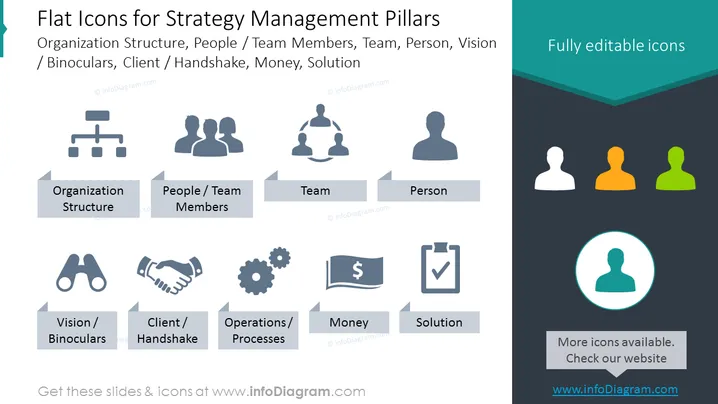
The PowerPoint slide titled "Flat Icons for Strategy Management Pillars" showcases a set of symbols that represent key concepts in strategic management. The concepts include Organization Structure, depicted by a hierarchical icon; People/Team Members, with a group of figures; Team, signified by a connected triangle of figures; and Person, using a solo figure icon. Additional concepts are Vision/Binoculars, symbolizing forward-looking objectives; Client/Handshake, representing partnerships or customer relations; Operations/Processes, indicated by gears; Money, with a currency symbol; and Solution, marked by a checkmark document, anchoring the idea of achieving goals or resolving issues.
The icons are minimalistic and modern, using flat design principles. The use of color is very restrained, with most of the slide in monochrome except for the colored person icons and the teal accents, creating visual interest while keeping a professional, polished look.



