
Reviews
Ihre Grafiken verleihen meinen Präsentationen eine nette Note, und ich habe sie kürzlich für eines meiner All-Hands-Meetings verwendet. Ihre Toolbox verleiht meinen Folien Professionalität, anstatt Standard-Clipart zu verwenden.
Ich brauchte einen neuen Blick auf einige meiner Folien. Ich habe versucht, einen Weg zu finden, einen Pinselschlag-Effekt zu erzielen, um zu unterstreichen, hervorzuheben, Farbe hinzuzufügen, und die handgeschriebenen Markierungen waren genau das Richtige. Sehr einfach zu bedienen, leicht in der Größe zu ändern, die Farbe zu ändern. Es war eine erschwingliche, perfekte Lösung und ich empfehle sie gerne weiter.
Die klare, saubere Optik der Grafiken und die Tatsache, dass ich die Farben leicht bearbeiten und an die Vorlage anpassen konnte, war mein Hauptgrund für den Kauf.
Description
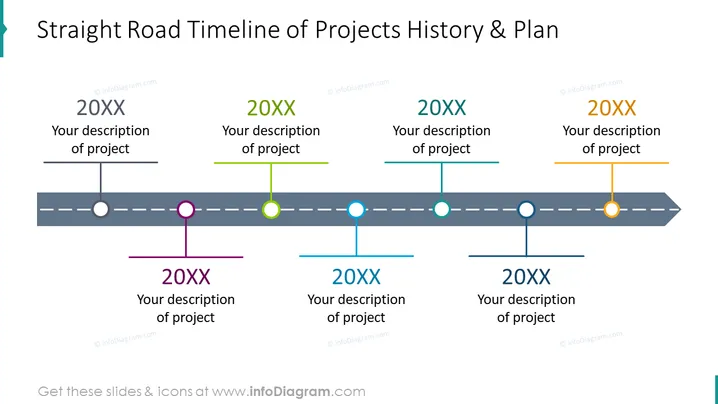
Straight Road Timeline of Projects History & Plan
Slide Content
The PowerPoint slide titled "Straight Road Timeline of Projects History & Plan" depicts a timeline in a horizontal format showcasing project milestones. Six individual markers, each associated with a different year labeled "20XX", indicate points in time where "Your description of project" can be added, providing a space for customization to fit specific project details. This timeline is useful for presenting sequential events or phases in project management.
Graphical Look
- The slide has a clean, contemporary design with a dominant straight horizontal line simulating a road or path.
- The timeline is represented by a dark, dashed line with circular markers, indicating different project milestones or events.
- Each marker on the timeline is connected to a text box by a vertical line, varying in color to distinguish between milestones.
- Text boxes in light colors align with each marker to present years and project descriptions; all placeholders read "20XX" and "Your description of project."
- The color palette used includes shades of blue, green, purple, and orange, providing visual differentiation for individual elements.
- The slide employs flat design elements, without any drop shadows or gradients, for a modern and straightforward appearance.
The overall visual look of the slide is minimalist and focused, using color-coded elements to organize information. It is geared for clarity and ease of understanding, making it effective for displaying a sequence of events or planning.
Use Cases
- Presenting a timeline of past company projects to give context during stakeholder meetings.
- Outlining future project plans and milestones in a strategic planning session.
- Updating team members on project progress during regular project management meetings.
- Demonstrating the chronological sequence of event plans for a product launch or marketing campaign.
How to Edit
How to edit text & colors

How to expand / shorten diagram

How to Replace Icons in infoDiagram PPT


