

Your graphics add a nice touch to my presentations and I recently used them for one of my all-hands meetings. Your toolbox adds professionalism to my slides. Instead of using standard clipart.
Claude Jones, Director of Engineer, @Walmartlabs, USA

Your graphics add a nice touch to my presentations and I recently used them for one of my all-hands meetings. Your toolbox adds professionalism to my slides. Instead of using standard clipart.
Claude Jones, Director of Engineer, @Walmartlabs, USA
I needed a fresh look at some of my slides. I've tried to find a way to create a paintbrush effect, to underline, accentuate, add some color and the handwritten markers were just the things. Very easy to use, easy to size, change the color. It was an affordable, perfect solution and I'm happy to recommend it.
Anonymous, US
The crisp, clean look of the graphics, and the fact that it allowed me to easily edit and change the colors to match the template was my main reason for purchasing them.
Brandie Jenkins, E-learning Developer, USA
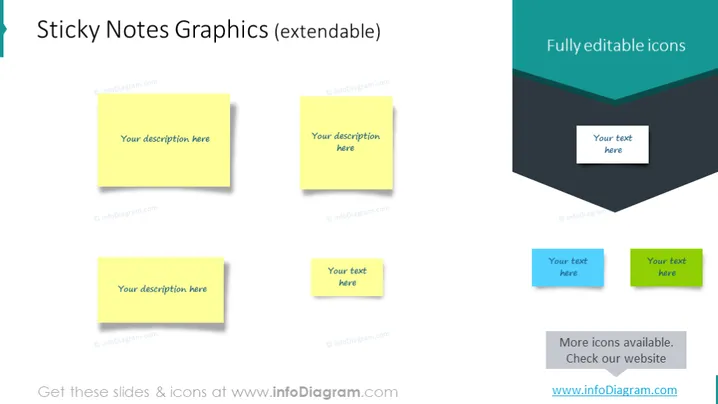
The slide is focused on showcasing sticky notes graphics which are extendable, and also highlights fully editable icons. There are three yellow sticky notes with placeholder text that says "Your description here," indicating where users can customize the content. The term 'extendable' suggests that these graphics can be expanded or customized to fit various contents or presentation contexts. On the right side, there's a section for fully editable icons, featuring a 3D layered banner graphic with two text placeholders, emphasizing the customization aspect of these visual elements as well. An additional sentence reads "More icons available. Check our website," which is an invitation for users to explore more options beyond what's presented on the slide.
The overall look of the slide is clean and modern, using a coordinated color scheme to offer a visually pleasant experience. The graphics are presented in a way that is straightforward and easily understood at a glance.



