
Reviews
Your graphics add a nice touch to my presentations and I recently used them for one of my all-hands meetings. Your toolbox adds professionalism to my slides. Instead of using standard clipart.
I needed a fresh look at some of my slides. I've tried to find a way to create a paintbrush effect, to underline, accentuate, add some color and the handwritten markers were just the things. Very easy to use, easy to size, change the color. It was an affordable, perfect solution and I'm happy to recommend it.
The crisp, clean look of the graphics, and the fact that it allowed me to easily edit and change the colors to match the template was my main reason for purchasing them.
Description
Steps List Template with Heavy Space Shuttle Graphics
Slide Content
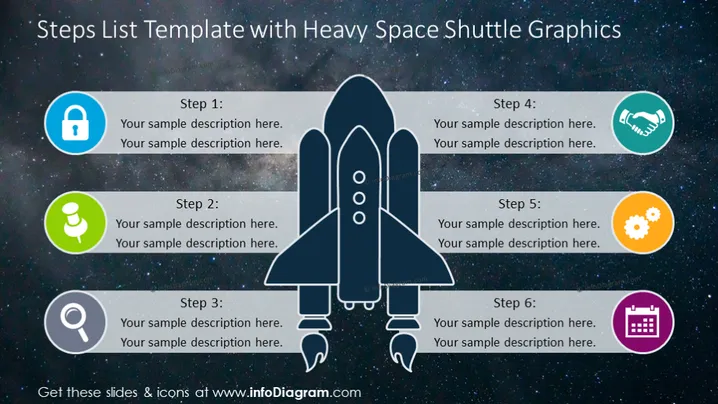
The slide is intended to outline a six-step process using the metaphor of space exploration, represented by a heavy space shuttle graphic. Each step is accompanied by an icon and a space for a custom description. Step 1 is represented by a lock icon, suggesting a starting point or initial security measure. Step 2 features a microphone icon, which could be interpreted as a communication phase. Step 3 employs a search icon, indicating a research or discovery stage. Step 4 uses a handshake icon, alluding to negotiation or agreement. Step 5 has a gears icon, representing implementation or working phase. Finally, Step 6 is symbolized with a calendar, hinting at scheduling or planning.
Graphical Look
- The slide background depicts a starry space scene, setting the theme for the content.
- In the center, a large heavy space shuttle graphic is prominently displayed, dividing the slide into two parts.
- Six circular icons with distinct symbols are aligned on either side of the shuttle, three on the left, and three on the right.
- Each icon is enclosed within a colored circle—blue, green, grey, teal, orange, purple—providing a visually engaging palette.
- Beside each icon, there are text placeholders for Steps 1 to 6, allowing for a brief description of each stage.
- The icons include a lock, microphone, magnifying glass, handshake, gears, and calendar, each symbolizing different steps in a process.
The overall look of the slide is visually appealing and thematic, with a professional color scheme and centered graphics that create a balanced arrangement. The use of space imagery and related icons adds a creative touch to a standard step-list format.
Use Cases
- To present a project timeline or roadmap in a business strategy or project management meeting.
- For use in educational presentations to demonstrate a step-by-step scientific process or development cycle.
- In marketing pitches to outline the stages of a product launch plan, enhanced by the engaging and futuristic theme of space exploration.
- As an engaging visual aid during team workshops or training sessions to discuss processes that involve progression, innovation, or exploration-related themes.
How to Edit
How to edit text & colors

How to expand / shorten diagram

How to Replace Icons in infoDiagram PPT


