
Reviews
Ihre Grafiken verleihen meinen Präsentationen eine nette Note, und ich habe sie kürzlich für eines meiner All-Hands-Meetings verwendet. Ihre Toolbox verleiht meinen Folien Professionalität, anstatt Standard-Clipart zu verwenden.
Ich brauchte einen neuen Blick auf einige meiner Folien. Ich habe versucht, einen Weg zu finden, einen Pinselschlag-Effekt zu erzielen, um zu unterstreichen, hervorzuheben, Farbe hinzuzufügen, und die handgeschriebenen Markierungen waren genau das Richtige. Sehr einfach zu bedienen, leicht in der Größe zu ändern, die Farbe zu ändern. Es war eine erschwingliche, perfekte Lösung und ich empfehle sie gerne weiter.
Die klare, saubere Optik der Grafiken und die Tatsache, dass ich die Farben leicht bearbeiten und an die Vorlage anpassen konnte, war mein Hauptgrund für den Kauf.
Description
Steps Icons
Slide Content
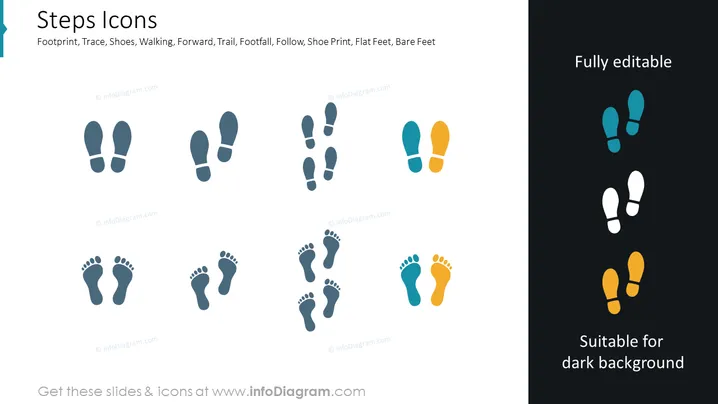
The PowerPoint slide titled "Steps Icons" showcases a variety of footstep and shoe print icons representing footprints, walking, moving forward, paths or trails, following someone, and different types of feet like flat feet and bare feet. These icons vary in shape, with some depicting the outlines of shoe prints and others representing bare footprints. Each icon visually conveys a different aspect of movement or tracking, which can symbolize progress, direction, guidance, or tracking in various contexts.
Graphical Look
- The left side features a light blue background with two columns of icons: one with pairs of shoe prints and one with pairs of bare footprints.
- The icons are stylized and simplistic in design, with the shoe prints resembling typical sole patterns, and the barefoot prints showing all toes.
- The right side contains a dark background with the same types of icons from the left, but they are colored to stand out against the dark surface—two in a light teal and one pair in orange.
- The top-right corner contains text "Fully editable" indicating the customizable nature of the icons.
- The bottom-right corner has text "Suitable for dark background" explaining the icons' adaptability to different slide backgrounds.
The slide is split between a light and a dark section, demonstrating the versatility of the icons against different backgrounds. The icons' colors are chosen to ensure visibility regardless of the background color.
Use Cases
- To illustrate steps taken in a process or a journey during a business strategy presentation.
- In a progress report to symbolize milestones achieved or progression over time.
- Within a user journey map in a UX/UI design presentation to represent user actions.
- To metaphorically represent team or project movement forward in motivational slides.
How to Edit
How to edit text & colors

How to expand / shorten diagram

How to Replace Icons in infoDiagram PPT


