
Reviews
Ihre Grafiken verleihen meinen Präsentationen eine nette Note, und ich habe sie kürzlich für eines meiner All-Hands-Meetings verwendet. Ihre Toolbox verleiht meinen Folien Professionalität, anstatt Standard-Clipart zu verwenden.
Ich brauchte einen neuen Blick auf einige meiner Folien. Ich habe versucht, einen Weg zu finden, einen Pinselschlag-Effekt zu erzielen, um zu unterstreichen, hervorzuheben, Farbe hinzuzufügen, und die handgeschriebenen Markierungen waren genau das Richtige. Sehr einfach zu bedienen, leicht in der Größe zu ändern, die Farbe zu ändern. Es war eine erschwingliche, perfekte Lösung und ich empfehle sie gerne weiter.
Die klare, saubere Optik der Grafiken und die Tatsache, dass ich die Farben leicht bearbeiten und an die Vorlage anpassen konnte, war mein Hauptgrund für den Kauf.
Description
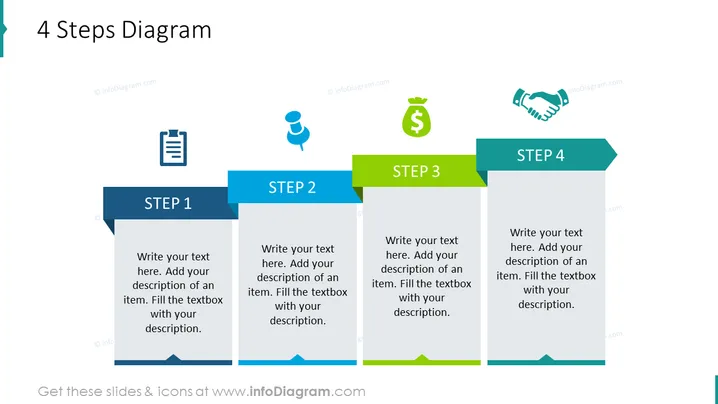
4 Steps Diagram
Slide Content
The slide shows a "4 Steps Diagram" which is used to present a process or a sequence of events in four stages. Each step includes a space for a title and additional text, suggesting this format is ideal for detailed explanations. "STEP 1" may describe the beginning or foundation of a process. "STEP 2" could represent the next phase, possibly involving more complexity or development. "STEP 3" might introduce a significant advancement or a turning point in the sequence. "STEP 4" likely concludes the progression, possibly outlining the final outcome or results of the process.
Graphical Look
- The slide has a clean and professional design with a white background and four colored banners indicating the steps.
- Each step is represented by a rectangular banner with a darker shade header where the step number is located.
- The banners are colored in blue, light blue, green, and gray, in sequence from Step 1 to Step 4.
- To the left of each step banner, there's an icon: a clipboard for Step 1, a human figure for Step 2, a money bag for Step 3, and a handshake for Step 4.
- The headers for Steps 1 to 4 have a darker color compared to the lighter color of the area designated for additional text.
- Every step banner points to the right, creating a sense of progression or flow through the sequence.
- The icons are placed inside circles with shades that match their respective step banner.
The overall look of the slide is sleek and modern, using a combination of icons and color-coding to distinctively represent each of the four steps. The visual flow from left to right naturally guides the viewer through the process.
Use Cases
- This diagram can be used in business presentations to outline the stages of a project timeline or development process.
- It's suitable for illustrating the steps in a workflow or operational process to stakeholders or team members.
- For showing a step-by-step guide to implementing a new company strategy or policy.
- Ideal for displaying a marketing or sales funnel, describing each stage from lead generation to closing the deal.
- Can be used in educational settings to break down complex concepts into more manageable parts for easier understanding.
How to Edit
How to edit text & colors

How to expand / shorten diagram

How to Replace Icons in infoDiagram PPT


