
Reviews
Ihre Grafiken verleihen meinen Präsentationen eine nette Note, und ich habe sie kürzlich für eines meiner All-Hands-Meetings verwendet. Ihre Toolbox verleiht meinen Folien Professionalität, anstatt Standard-Clipart zu verwenden.
Ich brauchte einen neuen Blick auf einige meiner Folien. Ich habe versucht, einen Weg zu finden, einen Pinselschlag-Effekt zu erzielen, um zu unterstreichen, hervorzuheben, Farbe hinzuzufügen, und die handgeschriebenen Markierungen waren genau das Richtige. Sehr einfach zu bedienen, leicht in der Größe zu ändern, die Farbe zu ändern. Es war eine erschwingliche, perfekte Lösung und ich empfehle sie gerne weiter.
Die klare, saubere Optik der Grafiken und die Tatsache, dass ich die Farben leicht bearbeiten und an die Vorlage anpassen konnte, war mein Hauptgrund für den Kauf.
Description
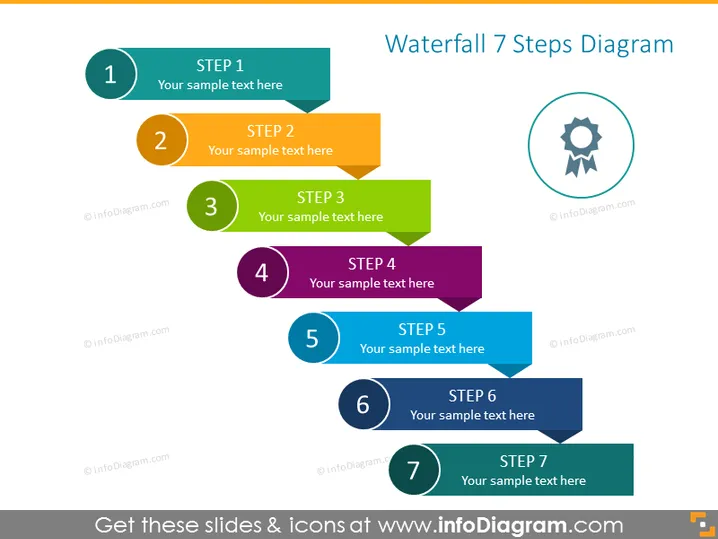
Waterfall 7 Steps Diagram
Slide Content
The slide presents a 'Waterfall 7 Steps Diagram,' a sequential representation typically used to show the progression through stages or the steps of a process. Each step is numbered from 1 to 7 and comes with a space titled "STEP" followed by the step number and placeholder text "Your sample text here." This format succinctly breaks down a process into manageable parts, facilitating easier comprehension and discussion of each phase.
Graphical Look
- A large, bold title in the upper right corner with the text "Waterfall 7 Steps Diagram".
- Seven rectangular shapes with a folded corner design, each colored and numbered from 1 to 7, descending from left to right across the slide.
- Each shape contains text indicating the step number ("STEP 1", "STEP 2", etc.), with a circular number icon to the left of the text.
- A circular gear-shaped icon in a circle is positioned to the right of the step shapes, aligning with the upper steps.
The slide features a colorful, coherent design with eye-catching hues to distinguish each step. The folded corner design on rectangular shapes and the circular numbering create a dynamic, organized look suitable for representing processes.
Use Cases
- Outlining the phases of a project timeline during a business presentation.
- Explaining the stages of product development in a team meeting.
- Illustrating the steps of an organizational change process at a management workshop.
- Detailing sequential tasks in a training session for new processes or systems.
How to Edit
How to edit text & colors

How to expand / shorten diagram

How to Replace Icons in infoDiagram PPT


