
Reviews
Your graphics add a nice touch to my presentations and I recently used them for one of my all-hands meetings. Your toolbox adds professionalism to my slides. Instead of using standard clipart.
I needed a fresh look at some of my slides. I've tried to find a way to create a paintbrush effect, to underline, accentuate, add some color and the handwritten markers were just the things. Very easy to use, easy to size, change the color. It was an affordable, perfect solution and I'm happy to recommend it.
The crisp, clean look of the graphics, and the fact that it allowed me to easily edit and change the colors to match the template was my main reason for purchasing them.
Description
Increasing 7 Steps Staircase Diagram
Slide Content
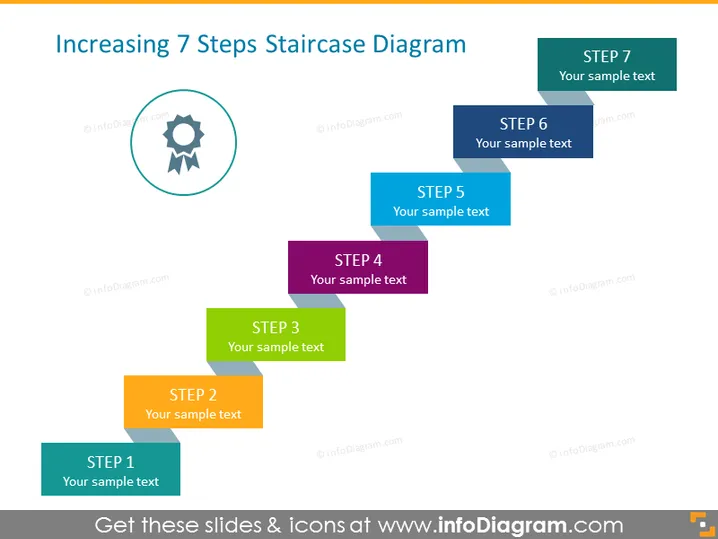
The slide represents a process or progression using a staircase metaphor with seven steps, each labeled with "STEP" followed by a number (1 to 7) and a placeholder text "Your sample text". This format suggests a sequential approach to explaining a concept or strategy, where each step builds upon the previous one, signifying advancement or progression in stages. The steps are color-coded, likely to distinguish them visually and make the sequence easier to follow.
Graphical Look
- The title of the slide is "Increasing 7 Steps Staircase Diagram," in bold, with a larger font size, set against the top of the slide.
- A gear icon inside a circular shape is placed on the left side of the slide, associating the process with mechanics or operations.
- The steps are represented by rectangular shapes with a 3D effect, appearing to stack on top of each other from bottom to top.
- The colors of the steps vary in a gradient sequence from blue, orange, green, purple, light blue, dark blue to grey, adding visual interest and assisting in differentiating the steps.
- Each step has text aligned to the center, indicating where descriptive content can be added.
The slide has a clean and professional design, with a good use of color and space that enhances readability and visual appeal. The 3D staircase effect provides a sense of progression, offering a clear structure for presenting information in steps.
Use Cases
- Outlining the stages of a project or plan in a business presentation, demonstrating incremental progress.
- Illustrating a step-by-step guide or process in a training or educational setting, making it clear and engaging.
- Mapping out a strategy or business development process in a sales or marketing pitch to show growth potential.
- Explaining complex concepts or workflows in a systematic manner during team meetings or workshops for easy understanding.
How to Edit
How to edit text & colors

How to expand / shorten diagram

How to Replace Icons in infoDiagram PPT


