
Reviews
Your graphics add a nice touch to my presentations and I recently used them for one of my all-hands meetings. Your toolbox adds professionalism to my slides. Instead of using standard clipart.
I needed a fresh look at some of my slides. I've tried to find a way to create a paintbrush effect, to underline, accentuate, add some color and the handwritten markers were just the things. Very easy to use, easy to size, change the color. It was an affordable, perfect solution and I'm happy to recommend it.
The crisp, clean look of the graphics, and the fact that it allowed me to easily edit and change the colors to match the template was my main reason for purchasing them.
Description
4 Steps Diagram Textbox
Slide Content
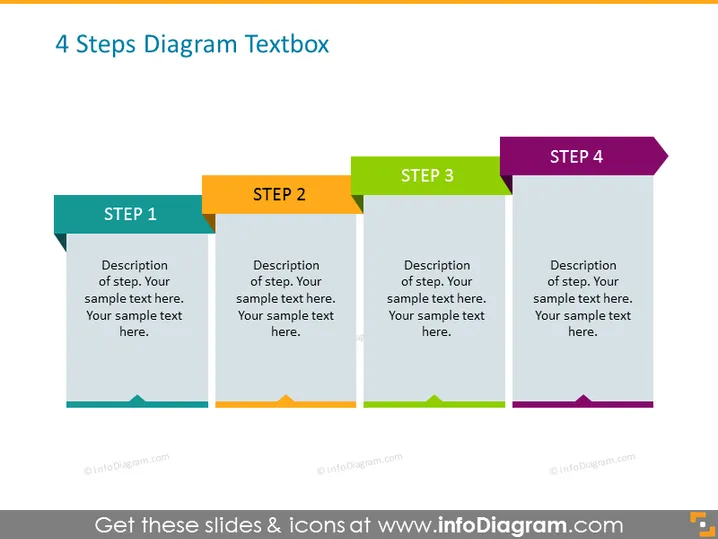
The slide titled "4 Steps Diagram Textbox" details a sequential, four-step process with each phase having its own space for a description. "STEP 1" is colored in teal and indicates the starting point, suggesting an introduction or initial phase of a process. "STEP 2" in orange could represent the follow-up or development phase. "STEP 3" in green may imply progression or continuation in the series. Lastly, "STEP 4" in purple suggests a concluding phase or the final step in the process. Each step has text placeholders labeled 'Description of step' followed by additional lines for customizable content.
Graphical Look
- The slide background is plain white, providing a clean and neutral canvas for the content.
- Four vertical banners, each with a different color (teal, orange, green, and purple), are aligned horizontally across the slide.
- Each banner features a darker colored tab at the top with a white text label indicating "STEP" and a corresponding number from 1 to 4.
- Below the tab, on the main part of the banner, is placeholder text in a lighter shade of grey, suggesting areas for descriptions.
- The bottom of the banners have small arrow-like shapes pointing downwards, adding a dynamic quality to the design.
- The text is arranged in a sans-serif font, offering a modern and clean appearance throughout the slide.
The overall look of the slide is sleek and modern, with a clear structure that visually guides the viewer through the step-by-step process. The use of different colors for each step aids in distinguishing each phase within the sequence.
Use Cases
- Ideal for presenting a business project or plan that unfolds in a series of defined stages.
- Useful for organizing content in workshops or educational settings where step-by-step instructions or methodologies are required.
- Suitable for product development or marketing plan presentations to denote different phases from concept to launch.
- Appropriate for illustrating a timeline or workflow process in organizational or process improvement meetings to clearly communicate the sequence of actions.
How to Edit
How to edit text & colors

How to expand / shorten diagram

How to Replace Icons in infoDiagram PPT


