
Reviews
Ihre Grafiken verleihen meinen Präsentationen eine nette Note, und ich habe sie kürzlich für eines meiner All-Hands-Meetings verwendet. Ihre Toolbox verleiht meinen Folien Professionalität, anstatt Standard-Clipart zu verwenden.
Ich brauchte einen neuen Blick auf einige meiner Folien. Ich habe versucht, einen Weg zu finden, einen Pinselschlag-Effekt zu erzielen, um zu unterstreichen, hervorzuheben, Farbe hinzuzufügen, und die handgeschriebenen Markierungen waren genau das Richtige. Sehr einfach zu bedienen, leicht in der Größe zu ändern, die Farbe zu ändern. Es war eine erschwingliche, perfekte Lösung und ich empfehle sie gerne weiter.
Die klare, saubere Optik der Grafiken und die Tatsache, dass ich die Farben leicht bearbeiten und an die Vorlage anpassen konnte, war mein Hauptgrund für den Kauf.
Description
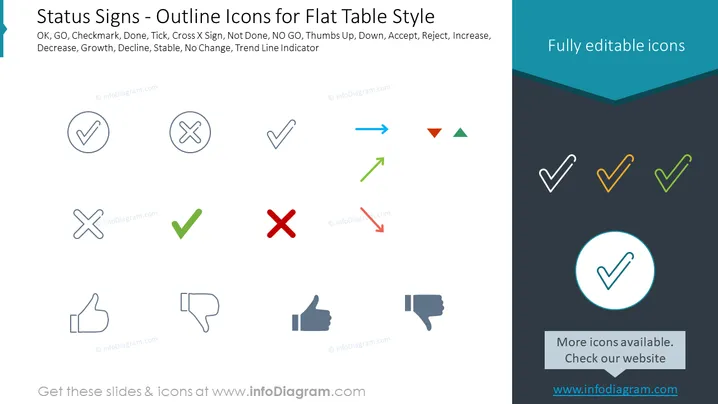
Status Signs - Outline Icons for Flat Table Style
Slide Content
The slide showcases a collection of outline icons representing various status signs useful for flat table styles. The icons include OK, GO, Checkmark, Done, Tick, Cross X Sign, Not Done, NO GO, Thumbs Up, Down, Accept, Reject, Increase, Decrease, Growth, Decline, Stable, No Change, and Trend Line Indicator. These symbols are used to quickly convey the status of tasks, performance metrics, or decisions within tables, reports, or data dashboards, providing at-a-glance information.
Graphical Look
- The slide background is divided into a white upper section and a dark teal lower section separated by a sharp angle.
- Ten outlined icons are neatly aligned in the upper white section, with their textual descriptions listed above in a bold black font.
- Below the icons, their meanings are conveyed through simple lines or checkmarks, crosses, arrows, and thumbs in varying states, reflecting their associated status.
- The icons are presented in soft shades of gray, with one set highlighted in red and green to demonstrate actionable statuses such as accept or reject.
- The dark teal section contains a single highlighted icon encircled with bright blue, emphasizing its editable nature.
- A text box with a light gray background, near the bottom right corner, promotes more icons on the provided website link, accented with the same bright blue as the highlighted icon.
The slide presents a clean and professional appearance, with the icons functioning as the focal point against a simple, contrasting background. The use of color highlights is minimal but effective in drawing attention to key elements.
Use Cases
- To display project status updates or task completion in business presentations.
- As a visual aid in performance dashboards to indicate metrics such as sales targets achieved, declined, or stable.
- Within reports and proposals to visually summarize the outcomes or actions required.
- In workflow or process diagrams to denote the status of different stages or checkpoints.
How to Edit
How to edit text & colors

How to expand / shorten diagram

How to Replace Icons in infoDiagram PPT


