
Reviews
Ihre Grafiken verleihen meinen Präsentationen eine nette Note, und ich habe sie kürzlich für eines meiner All-Hands-Meetings verwendet. Ihre Toolbox verleiht meinen Folien Professionalität, anstatt Standard-Clipart zu verwenden.
Ich brauchte einen neuen Blick auf einige meiner Folien. Ich habe versucht, einen Weg zu finden, einen Pinselschlag-Effekt zu erzielen, um zu unterstreichen, hervorzuheben, Farbe hinzuzufügen, und die handgeschriebenen Markierungen waren genau das Richtige. Sehr einfach zu bedienen, leicht in der Größe zu ändern, die Farbe zu ändern. Es war eine erschwingliche, perfekte Lösung und ich empfehle sie gerne weiter.
Die klare, saubere Optik der Grafiken und die Tatsache, dass ich die Farben leicht bearbeiten und an die Vorlage anpassen konnte, war mein Hauptgrund für den Kauf.
Description
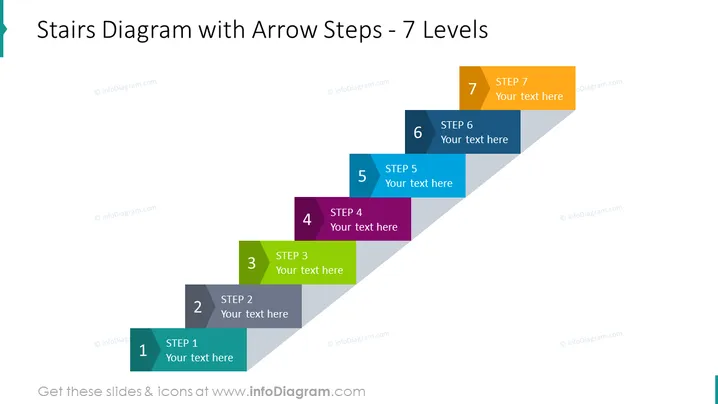
Stairs Diagram with Arrow Steps - 7 Levels
Slide Content
The slide showcases a progression or process divided into seven levels, depicted as steps in an arrow-shaped diagram. Each step is numbered and accompanied by a placeholder text "Your text here," suggesting customization where the presenter can detail individual phases or concepts.
- STEP 1 signifies the beginning of the process, the foundation steps where initial actions or concepts are established.
- STEP 2 represents the subsequent phase, building upon the foundation with additional actions or details.
- STEP 3-5 are intermediate stages that continue to develop the process or concept, each step layered upon the previous one, implying progression or complexity increase.
- STEP 6 precedes the final stage, indicative of penultimate actions or decisions before the culmination of the process.
- STEP 7 is the final level, the peak of the arrows' diagram, signifying the conclusion or goal achievement.
Graphical Look
- The slide uses a gradient teal background that fades into white toward the right.
- There is a large title at the top in dark gray text against a light background.
- A stylized arrow composed of seven rectangular blocks, each representing a step, acts as the focal point.
- The rectangles have rounded corners and each features a gradient shade, with colors ranging from light blue to orange.
- Every step is labeled with a number and has a space for text, set in white font against the contrasting color of the block.
- The steps are arranged to form an ascending arrow, reinforcing the concept of progression.
- The design is flat and lacks any drop shadows or three-dimensional effects.
The slide is dominated by the metaphorical stair-step arrow, with its clean lines and progression of colors creating a sense of movement and advancement.
Use Cases
- Explaining step-by-step processes or workflows in a corporate or educational presentation.
- Demonstrating stages of project development or business strategy implementation.
- Visual izing professional development plans or career growth paths in a more personal setting.
- Outlining phased approaches to change management, product development, or market expansion initiatives.
How to Edit
How to edit text & colors

How to expand / shorten diagram

How to Replace Icons in infoDiagram PPT


