
Reviews
Ihre Grafiken verleihen meinen Präsentationen eine nette Note, und ich habe sie kürzlich für eines meiner All-Hands-Meetings verwendet. Ihre Toolbox verleiht meinen Folien Professionalität, anstatt Standard-Clipart zu verwenden.
Ich brauchte einen neuen Blick auf einige meiner Folien. Ich habe versucht, einen Weg zu finden, einen Pinselschlag-Effekt zu erzielen, um zu unterstreichen, hervorzuheben, Farbe hinzuzufügen, und die handgeschriebenen Markierungen waren genau das Richtige. Sehr einfach zu bedienen, leicht in der Größe zu ändern, die Farbe zu ändern. Es war eine erschwingliche, perfekte Lösung und ich empfehle sie gerne weiter.
Die klare, saubere Optik der Grafiken und die Tatsache, dass ich die Farben leicht bearbeiten und an die Vorlage anpassen konnte, war mein Hauptgrund für den Kauf.
Description
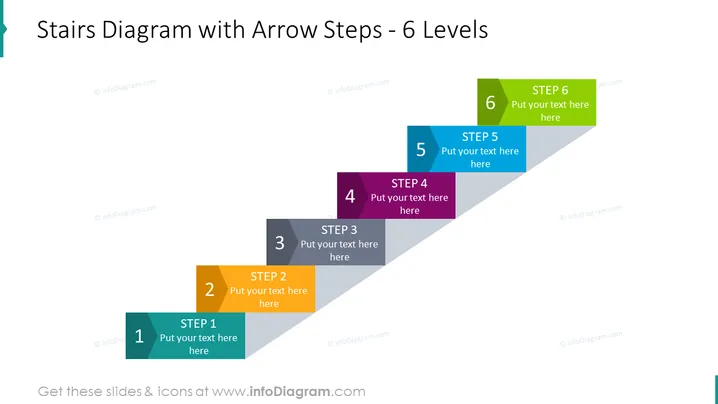
Stairs Diagram with Arrow Steps - 6 Levels
Slide Content
The slide is designed to illustrate a process or progression in six distinct stages. Each level is represented by an arrow-shaped box, indicating a stepwise increase. The steps are numbered from 1 to 6, with placeholder text "Put your text here" suggesting where a presenter can add specific details for each step. This kind of visual can be helpful for breaking down complex processes into more digestible parts, allowing an audience to understand each component and its sequence within the overall structure.
Graphical Look
- The slide background is white, providing a clean canvas for the content.
- A large title is placed at the top in bold, dark text, clearly stating the purpose of the slide.
- Six arrow-shaped boxes, each with a different color, create a visual pathway from the bottom left corner to the top right corner of the slide.
- The arrows are aligned diagonally, creating a sense of progression or ascension.
- Each arrow box has a darker shade rectangle overlay with a white number inside it, indicating the step number.
- A text placeholder is situated next to each number for additional information.
- The colors of the arrows are distinct and ordered in a gradient fashion, making each step easily distinguishable.
The overall look of the slide is modern and professional, with a clear emphasis on progression through the use of upward-pointing arrows and sequential color-coding. The consistent style of elements provides a cohesive visual experience.
Use Cases
- Explaining a step-by-step process in a business plan or proposal.
- Describing different phases of a project development lifecycle.
- Outlining a multi-stage strategy in a marketing presentation.
- Representing a progression of tasks or milestones in a project management briefing.
How to Edit
How to edit text & colors

How to expand / shorten diagram

How to Replace Icons in infoDiagram PPT


