
Reviews
Ihre Grafiken verleihen meinen Präsentationen eine nette Note, und ich habe sie kürzlich für eines meiner All-Hands-Meetings verwendet. Ihre Toolbox verleiht meinen Folien Professionalität, anstatt Standard-Clipart zu verwenden.
Ich brauchte einen neuen Blick auf einige meiner Folien. Ich habe versucht, einen Weg zu finden, einen Pinselschlag-Effekt zu erzielen, um zu unterstreichen, hervorzuheben, Farbe hinzuzufügen, und die handgeschriebenen Markierungen waren genau das Richtige. Sehr einfach zu bedienen, leicht in der Größe zu ändern, die Farbe zu ändern. Es war eine erschwingliche, perfekte Lösung und ich empfehle sie gerne weiter.
Die klare, saubere Optik der Grafiken und die Tatsache, dass ich die Farben leicht bearbeiten und an die Vorlage anpassen konnte, war mein Hauptgrund für den Kauf.
Description
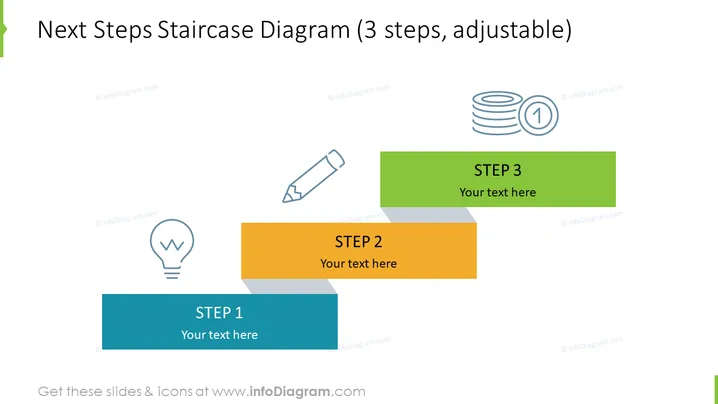
Next Steps Staircase Diagram (3 steps, adjustable)
Slide Content
The slide titled "Next Steps Staircase Diagram (3 steps, adjustable)" presents a conceptual diagram depicting a three-step process. Each step is represented by a colored rectangular block labeled "STEP 1", "STEP 2", and "STEP 3", respectively. Accompanying each step is a space denoted "Your text here," allowing for customization of the content. The steps have a sequential order and imply a process or progression. This format is typically used to outline a series of actions, milestones, or objectives in a clear, straightforward manner, with each block defining a specific stage in the overall plan or strategy.
Graphical Look
- The slide features a clean and minimalistic design with a white background.
- Three rectangular blocks are staggered and layered to resemble a staircase, with each block a different color: blue for STEP 1, orange for STEP 2, and green for STEP 3.
- Each block contains white text indicating the step number and a placeholder text area.
- Next to each step, icons are present: a lightbulb for STEP 1, a pencil for STEP 2, and coin stacks with a medal for STEP 3.
- The icons are colored in a lighter shade matching the color of their respective steps.
- There is a small shadow effect behind each block, giving a sense of depth.
The overall look of the slide is professional and modern, with a simple color scheme that allows the staircase graphic to stand out. The use of icons next to the steps adds visual interest and can aid in communicating the content of each stage.
Use Cases
- Breaking down project phases or key objectives in a business plan presentation.
- Illustrating a strategic workflow in a process improvement meeting.
- Outlining incremental goals for a team in a performance review or kickoff meeting.
- Demonstrating a step-by-step guide in instructional or training materials for staff.
How to Edit
How to edit text & colors

How to expand / shorten diagram

How to Replace Icons in infoDiagram PPT


