
Reviews
The icons are fantastic, easy to use, and will add value to any project or presentation. Keep up the great work.
I love how simple infoDiagram's solutions are and the personal interest they took in my work. Recommended 1000%!
The crisp, clean look of the graphics, and the fact that it allowed me to easily edit and change the colors to match the template was my main reason for purchasing them.
Description
Next Steps
Slide Content
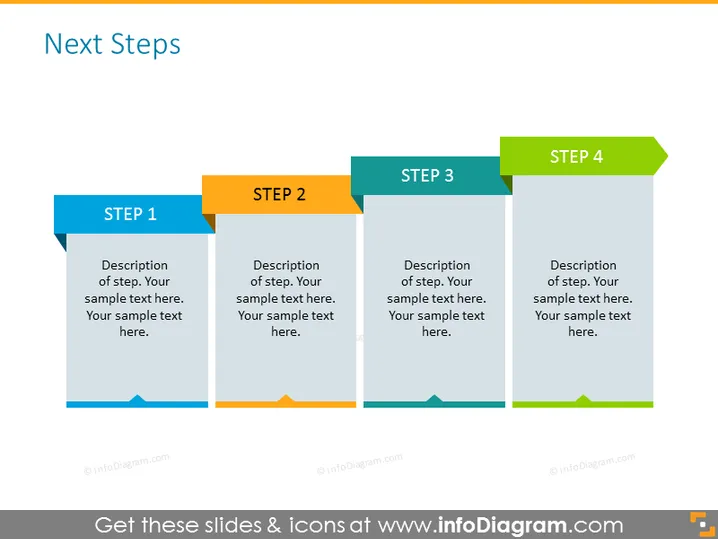
The slide, titled "Next Steps," appears to outline a step-by-step process or plan. It's divided into four main sections labeled "STEP 1", "STEP 2", "STEP 3", and "STEP 4", each accompanied by a brief placeholder text suggesting a description of the step should be placed there. These elements indicate the slide is structured to guide viewers through a sequence of stages in a particular procedure or strategy.
Graphical Look
- Four vertical banners, each representing a step, aligned horizontally across the slide.
- The banners have alternating colors: blue for Step 1, orange for Step 2, grey for Step 3, and green for Step 4.
- Each banner has a prominent label at the top with the step number in bold text against a contrasting color block.
- The body of each banner has placeholder text in a lighter shade, suggesting where a description should be added.
- A triangular shape on the bottom of each banner echoes the color of the step number block above, adding visual consistency.
- The slide uses a flat design style, with simple shapes and a limited color palette for a modern and clean appearance.
The slide's design is clean and modern, utilizing a colorful yet restrained palette. The use of contrasting colors and simple geometric shapes effectively draws attention to the sequence and division of steps.
Use Cases
- To outline a project timeline or roadmap in a business meeting or presentation.
- For illustrating a multi-step process in training or educational materials.
- As a visual aid in a sales pitch to show the phases of customer engagement or product development.
- To share the stages of a strategy implementation during a corporate workshop or seminar.
How to Edit
How to edit text & colors

How to expand / shorten diagram

How to Replace Icons in infoDiagram PPT


