
Reviews
Sus gráficos añaden un toque agradable a mis presentaciones y recientemente los usé para una de mis reuniones generales. Su conjunto de herramientas añade profesionalismo a mis diapositivas. En lugar de usar imágenes prediseñadas estándar.
Necesitaba un aspecto fresco para algunas de mis diapositivas. Había intentado encontrar una forma de crear un efecto de pincel, de subrayar, acentuar, añadir algo de color y los marcadores escritos a mano fueron justo lo que necesitaba. Muy fácil de usar, fácil de ajustar el tamaño, cambiar el color. Fue una solución asequible y perfecta, y estoy feliz de recomendarla.
El aspecto nítido y limpio de los gráficos, y el hecho de que me permitiera editar y cambiar fácilmente los colores para que coincidieran con la plantilla fue mi principal razón para comprarlos.
Description
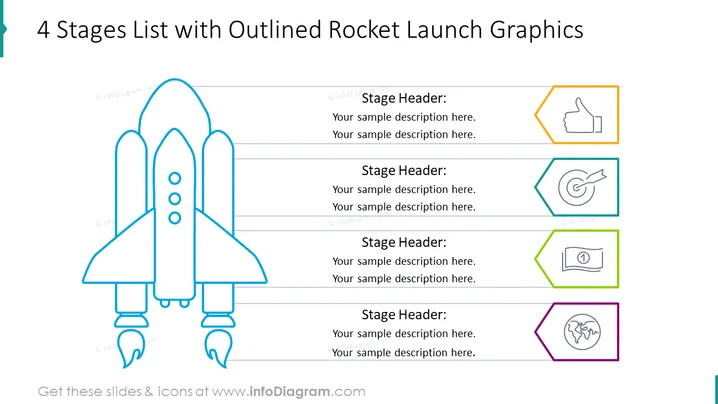
4 Stages List with Outlined Rocket Launch Graphics
Slide Content
The slide presents a concept with four distinct stages, each associated with a graphical icon, and provides space for a brief description. The stages are visually represented by four consecutively placed text boxes next to a large outlined drawing of a rocket, suggesting a step-by-step progression or sequence. Each stage is paired with an icon, symbolizing achievement (a thumbs-up), targeting (a bullseye), financial growth or stability (a banknote), and global reach or application (a depiction of Earth), respectively.
Graphical Look
- A large, central, outlined illustration of a rocket occupying the left half of the slide.
- Four colored text boxes on the right, aligned vertically, each with a different colored outline.
- Each text box contains a header labeled "Stage Header:" followed by two lines for descriptions.
- Adjacent to each text box, to the right, is a colored outline of an icon corresponding to the stage.
- Icons are enclosed within hexagonal shapes with colors matching the outlines of the text boxes they are associated with.
- The colors of the outlines and icons are distinct for each stage: orange, teal, green, and purple.
The overall look of the slide is clean and modern, with a simple and intuitive design. The use of color-coding and distinct icons facilitates quick understanding of each stage.
Use Cases
- Presenting a project or product development in four phases, from concept initiation to global launch.
- Explaining a marketing strategy that progresses through several key milestones.
- Outlining the growth stages of a startup or new business venture.
- Using as an educational tool to describe a multi-stage process or procedure in any professional field.
How to Edit
How to edit text & colors

How to expand / shorten diagram

How to Replace Icons in infoDiagram PPT


