
Reviews
Vos graphiques ajoutent une belle touche à mes présentations et je les ai récemment utilisés pour l'une de mes réunions générales. Votre boîte à outils ajoute du professionnalisme à mes diapositives. Au lieu d'utiliser des cliparts standards.
J'avais besoin d'un nouveau regard sur certaines de mes diapositives. J'ai essayé de trouver un moyen de créer un effet de pinceau, de souligner, d'accentuer, d'ajouter de la couleur et les marqueurs manuscrits étaient exactement ce qu'il fallait. Très facile à utiliser, facile à ajuster la taille, à changer la couleur. C'était une solution abordable et parfaite et je suis heureux de la recommander.
L'aspect net et épuré des graphiques, et le fait qu'il m'ait permis d'éditer et de changer facilement les couleurs pour les adapter au modèle, ont été les principales raisons de mon achat.
Description
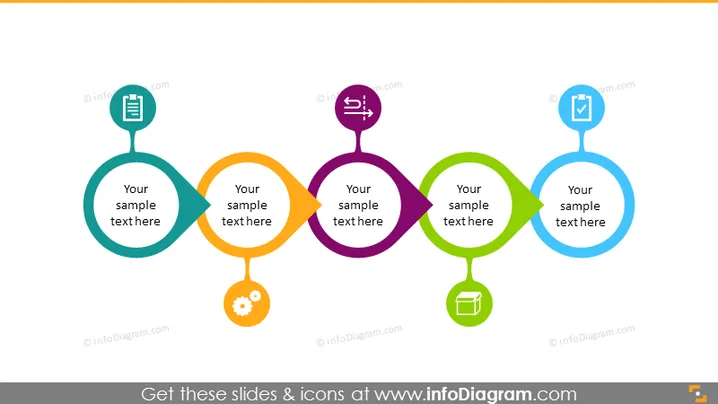
Linear 5 Stages Roadmap Icon Signs Timeline
Slide Content:
The PowerPoint slide is designed to sequentially outline various stages of a business or project strategy, using colorful interconnected circles. Each circle contains an icon indicative of a particular stage or aspect of the process. Text placeholders suggest the inclusion of detailed descriptions for each stage, allowing presenters to explain the significance and objectives associated with each icon.
Graphical Look:
- Five interconnected circles, each a different color: teal, orange, purple, green, and blue.
- Icons within each circle, representing different stages or actions.
- The overall design is clean and modern, with a flat graphic style and no background distractions.
The slide uses a simple yet effective visual metaphor for a process flow or a timeline, with the color coding and icons making each stage distinct and easy to understand.
Use Cases:
- To display the phases of a project in a project management presentation.
- As an agenda for a strategic planning meeting, highlighting key focus areas.
- In a marketing presentation to outline the steps of a campaign strategy.
- For an educational lecture on the stages of business or product development.
How to Edit
How to edit text & colors

How to expand / shorten diagram

How to Replace Icons in infoDiagram PPT


